Accommodations for Learning Disabilities: A Practical Guide
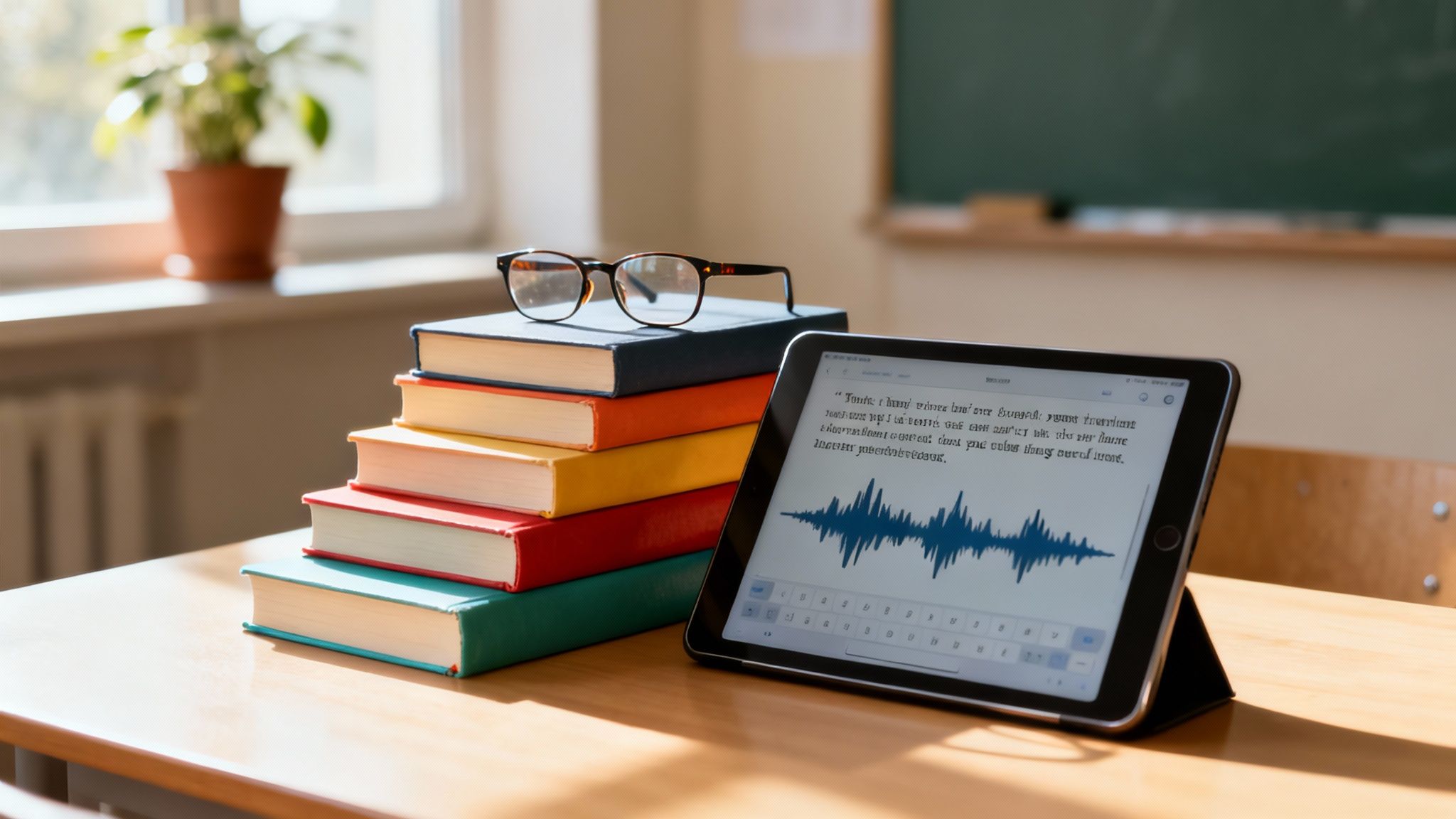
Accommodations for learning disabilities aren't about changing what a student learns, but how they learn it. Think of it like a ramp for a wheelchair user. The ramp doesn't change the destination—the top of the stairs—it just provides an accessible way to get there.
For students with conditions like dyslexia or dysgraphia, accommodations create a clearer path to show what they truly know.
Understanding Accommodations for Learning Disabilities
Can you imagine trying to read a book while the letters jiggle and rearrange themselves on the page? For many students, that's what learning feels like every single day. Accommodations are simply the tools and strategies that help those letters stand still, making learning possible without watering down the curriculum. It’s all about equal access, not an unfair advantage.
This kind of support is more important than ever. Globally, around 15% of students have a learning disability. In the United States, that figure is closer to one in five children. These aren't isolated cases; they are a significant and normal part of any classroom.
The Goal of Accommodations
At its core, the goal is to remove barriers. Accommodations level the playing field so a student’s grades reflect their knowledge, not their disability.
Promoting Independence: The right support helps students build their own strategies to manage their learning.
Boosting Confidence: When a student can finally participate and show what they know, their self-esteem and motivation soar.
Ensuring Fair Assessment: Accommodations ensure a student is tested on their grasp of history or science, not their ability to overcome a specific reading or writing challenge.
An accommodation helps a student with a disability show what they know without being penalized for their disability. It’s about creating an equitable experience, not giving them special treatment.
Common Misconceptions
People often confuse accommodations with modifications, but they are very different. An accommodation changes how a student learns (like listening to an audiobook instead of reading a print copy). A modification changes what a student is expected to learn (like reading a much shorter, simpler book on the same topic).
Our focus here is purely on accommodations—the tools that uphold academic standards while providing vital support. You can dive deeper by exploring these essential SEN resources for a more complete picture.
For a student who struggles to get their brilliant ideas from their head onto the page, assistive technology can be a game-changer. Tools that convert speech to text remove the physical barrier of writing, letting them focus entirely on their thoughts. To see this in action, Download Speak4Me free on iOS and explore a tool designed to help students communicate their knowledge clearly.
Exploring Different Types of Classroom Accommodations
So, what do "accommodations" for learning disabilities actually look like in a real classroom? It’s not about finding one magic bullet. Instead, support is carefully chosen to fit a student's specific needs, and it generally falls into four main categories.
Think of it this way: accommodations don't change what the student is learning, they change how the student accesses it. Each type of support is designed to remove a specific roadblock, leveling the playing field so students can show what they truly know.
This infographic gives a great overview of the four main toolkits we use to support learners.
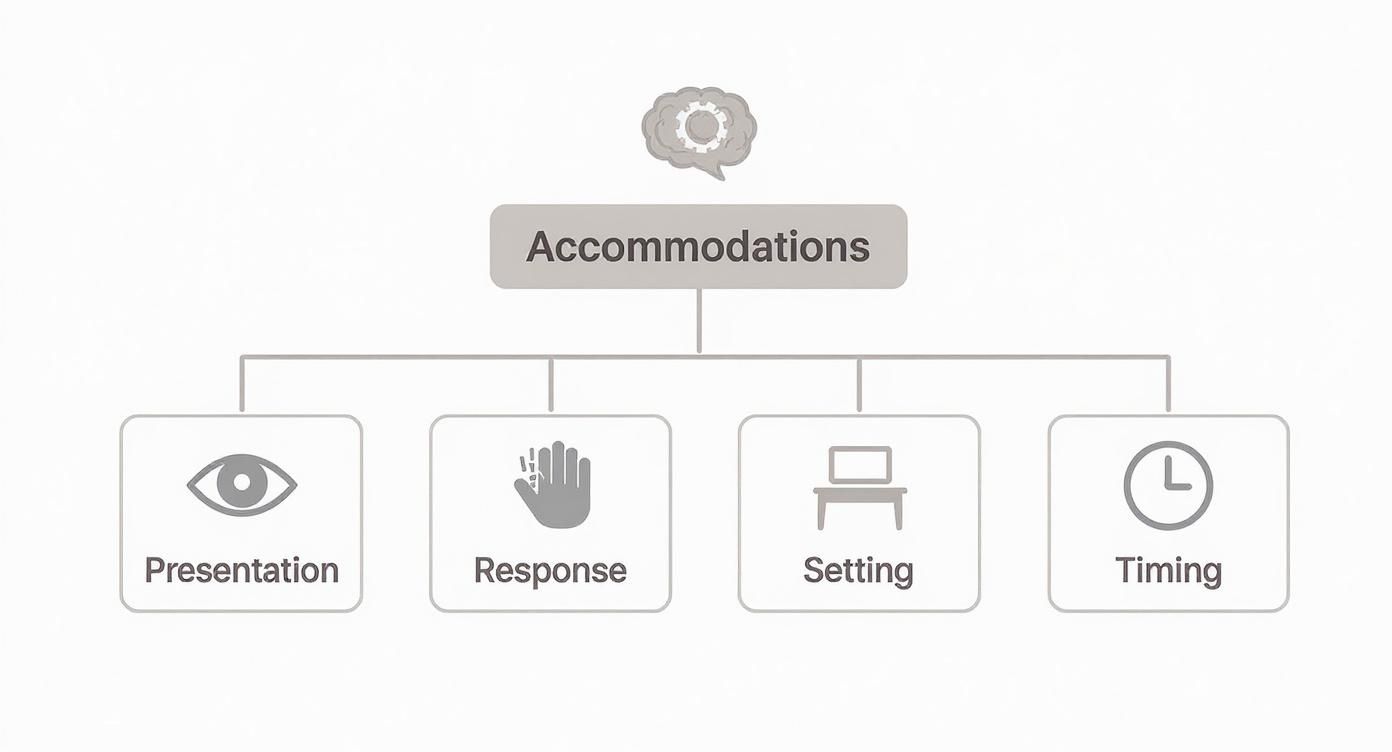
As you can see, a solid support plan looks at everything: how a student takes in information, how they share their knowledge, where they learn best, and how much time they have to get things done.
Presentation Accommodations
First up, we have accommodations that change how information is presented to a student. If a student has a tough time reading standard print, this whole category is about finding other ways to get the information to them.
It's a bit like choosing between reading a book and listening to the audiobook. You get the same story, just delivered in a different format.
Audiobooks or Text-to-Speech: For a student with dyslexia, listening to a textbook can be a game-changer. It sidesteps the decoding struggle and lets them focus entirely on understanding the material.
Large Print or Magnifiers: Sometimes the fix is surprisingly simple. For students with visual processing issues, bigger text or a basic magnifier can make a world of difference.
Visual Cues and Graphic Organizers: Highlighting key phrases, color-coding notes, or using flowcharts can help students see the connections between ideas and organize their thoughts.
Adapting how you teach is a huge part of this. For a deeper dive, there are some great resources on effective differentiated instruction techniques that pair perfectly with these accommodations.
Response Accommodations
Next are response accommodations, which alter how a student can show what they've learned. It's incredibly common for a student to understand a concept perfectly but freeze up when asked to write an essay or fill out a bubble sheet.
These supports are vital because they separate the skill being tested (like history knowledge) from the skill that's a challenge (like handwriting).
Take a student with dysgraphia, for example. The physical act of writing can be exhausting or even painful. Letting them type on a keyboard or use a speech-to-text tool allows their ideas to flow freely, without the mechanical barrier.
Assistive technology really shines here. Tools that turn spoken words into text, like Speak4Me, can completely remove the hurdle of writing. For the student who knows exactly what they want to say but just can’t get it on the page, this kind of support is invaluable.
Setting and Timing Accommodations
The last two categories tackle the "where" and "when" of learning and testing.
Setting Accommodations: These are all about changing the physical environment. A student who is easily distracted might need a quiet room for a test. Other simple tweaks, like sitting them near the teacher or away from a busy doorway, can make a huge impact.
Timing/Scheduling Accommodations: This is about adjusting the clock. Extended time on tests is probably the most common accommodation out there, giving students the space to process information without the anxiety of a ticking clock. Breaking a big project into smaller, more manageable steps with individual due dates is another great way to prevent students from feeling overwhelmed.
Knowing these options is the first step. For more targeted strategies, particularly for students facing reading challenges, check out our guide on how to help dyslexic students.
How Assistive Technology Can Help Learners
When we talk about accommodations for learning disabilities, technology offers some of the most powerful and direct solutions out there. Assistive technology, or AT, is really just any tool—hardware or software—that helps a student get around their specific challenges.
Think of it as a digital bridge. It connects what a student knows in their head with their ability to show it.
So, instead of a wall of text feeling like an impossible climb, a student can use a text-to-speech tool and simply listen to their assignment. Rather than getting bogged down by the frustrating mechanics of handwriting, they can use speech-to-text to get their thoughts down on the page. AT doesn't do the work for them; it just clears the path.
This screenshot shows a simple interface where a user can input text to be read aloud, a fundamental feature of many assistive technology tools.
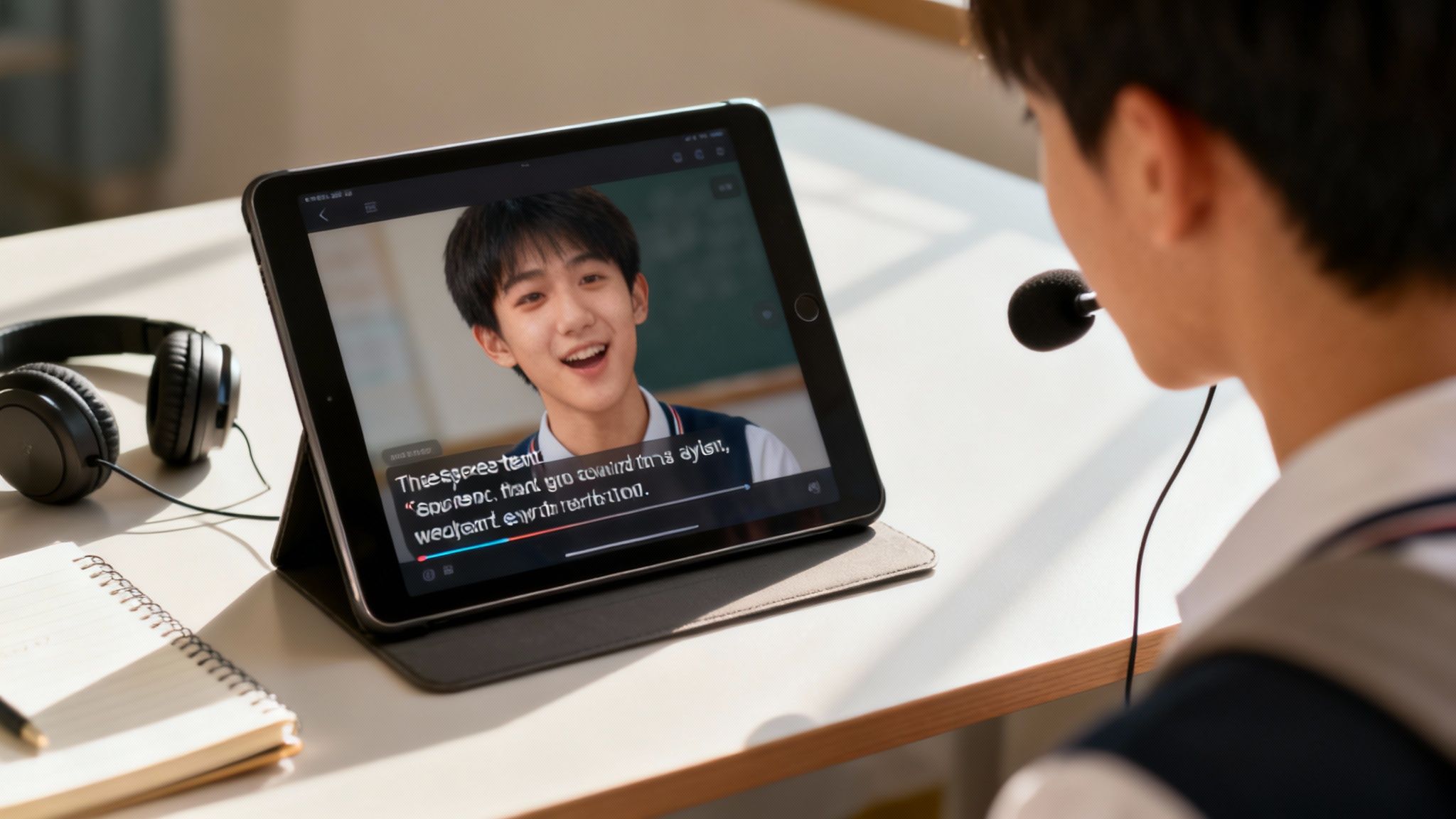
The clean design helps learners focus on the content itself, turning digital text into accessible audio without any confusing extras.
Tools That Transform Reading
For a student with dyslexia or another reading-based challenge, just figuring out the words on a page can use up all their mental energy. By the time they've decoded a sentence, there's little brainpower left to actually understand what it means. AT for reading flips that script, shifting the focus from decoding to comprehension.
Text-to-Speech (TTS): This is easily one of the most impactful tools. TTS software reads digital text aloud, so students can hear their textbooks, articles, and assignments. This two-channel approach—seeing and hearing the words—can dramatically improve reading speed and understanding.
Audiobooks: With digital libraries and services, students have access to a massive catalog of audiobooks. This gives them another way to dive into literature and complex texts without print being a barrier.
Digital Highlighters and Note-Takers: Lots of apps let students highlight text and type notes right onto a document. This helps them pull out key concepts and keep their thoughts organized as they read.
The interesting thing is, these tools aren't just for students with diagnosed disabilities. Plenty of learners discover that listening to text helps them absorb information better, making AT a fantastic resource for all kinds of learning styles.
Support for Writing and Organization
Writing is often a two-step struggle: first, you have to organize your thoughts, and second, you have to physically get them onto the page. Assistive technology has smart solutions for both of these hurdles.
The right AT can free a student from the mechanics of writing, allowing their creative and critical thinking skills to take center stage. It levels the playing field, ensuring their ideas are judged, not their penmanship.
For students with dysgraphia, the physical act of writing can be slow and even painful. For others, spelling and grammar rules feel like a constant roadblock, stopping their ideas cold.
Here are some tools that can make a world of difference:
Speech-to-Text Software: This technology is a real game-changer. Students just speak their ideas, and the software types it all out. It completely bypasses the challenges of typing or handwriting, letting thoughts flow naturally.
Word Prediction and Grammar Checkers: These tools offer suggestions for spelling and grammar in real-time. This cuts down on the anxiety of making mistakes and helps students produce work that is clearer and more polished.
Digital Planners and Organizers: Organization apps help students break big projects into small, manageable tasks, set reminders, and keep track of deadlines. This is a lifeline for anyone who struggles with executive functions.
When a student knows the material but can't seem to get it into written words, simple but powerful tools are the answer. You can see how speech-to-text helps with clearer communication when you Download Speak4Me free on iOS.
The world of assistive technology is vast, and getting a handle on what it is and how it works is the first step. To learn more, check out our guide on what is assistive technology in education. By bringing these tools into the classroom, we can build more inclusive and supportive learning environments where every student truly has the chance to shine.
Your Legal Rights: The Foundation for School Accommodations
Before you can effectively advocate for your child, you need to understand your rights. Getting accommodations for learning disabilities isn't about asking for special treatment—it’s about ensuring your child receives the support they are legally entitled to for a fair and effective education.
In the United States, two major federal laws protect students with disabilities. Getting a handle on what they are, what they do, and how they differ is the key to navigating the school system successfully.
The Individuals with Disabilities Education Act (IDEA)
First up is the Individuals with Disabilities Education Act, or IDEA. This is a federal law designed to provide a free and appropriate public education to children who qualify. To be eligible, a student must have a disability that falls into one of 13 specific categories, and it has to directly impact their ability to learn in a school setting.
When a student qualifies under IDEA, the school must develop an Individualized Education Program (IEP). This isn't just a list of suggestions; it's a legally binding contract. The IEP details your child's specific learning goals, the services the school will provide, and the exact accommodations they'll receive. It’s a custom-built plan created by a team that always includes you, the parents, alongside teachers and other school specialists.
Think of an IEP as the official blueprint for your child's education, mapping out precisely what's needed for them to thrive.
Section 504 of the Rehabilitation Act
While IDEA is very specific, Section 504 of the Rehabilitation Act casts a much wider net. This is a civil rights law that makes it illegal for any program receiving federal funds—including public schools—to discriminate against someone because of a disability.
Under Section 504, a student is eligible if they have any physical or mental impairment that significantly limits a major life activity, which absolutely includes learning. This means a child who might not qualify for an IEP under IDEA's stricter criteria could still be eligible for a 504 Plan.
A 504 Plan is typically less formal than an IEP, but its goal is just as important: to outline the accommodations needed to remove barriers in the regular classroom so the student has the same access to education as their peers.
An accommodation isn't about giving a student an unfair advantage. It's about leveling the playing field. The law exists to make sure students aren't penalized for having a disability.
IEP vs. 504 Plan: What's the Real Difference?
On the surface, IEPs and 504 Plans can look pretty similar. They both provide support. But they operate differently, and knowing which is right for your child helps you advocate for the most appropriate help.
Feature | Individualized Education Program (IEP) | 504 Plan |
|---|---|---|
Governing Law | ||
Primary Goal | Provides specialized instruction and related services. | Ensures access to the general education curriculum. |
Eligibility | Requires a disability from 1 of 13 specific categories that impacts educational performance. | Requires any disability that substantially limits a major life activity, like learning. |
What It Includes | A detailed, legally binding document with specific goals, services, and progress tracking. | Outlines accommodations and supports, but is often less detailed than an IEP. |
The bottom line? An IEP is for students who need specialized, direct instruction, while a 504 Plan is focused on providing access and removing barriers in the general classroom through accommodations.
The Path to Securing Accommodations
This whole process can feel a little overwhelming, but it follows a predictable series of steps. Remember, as a parent or guardian, you have the right to get the ball rolling at any time.
Request an Evaluation: It all starts with a formal, written request for the school to evaluate your child for a learning disability.
Participate in the Evaluation: The school will then conduct a full assessment to figure out if a disability is present and what your child's specific educational needs are.
Attend the Eligibility Meeting: You’ll sit down with a team from the school to go over the results and decide together if your child qualifies for an IEP or a 504 Plan.
Develop the Plan: If your child is eligible, you become part of the team that creates the plan, hashing out the specific accommodations and supports they will receive.
Review and Revisit: These plans aren't set in stone. They are living documents that should be reviewed at least once a year to make sure they're still working and to make any necessary changes.
Think of this as a partnership with the school. When a student has trouble getting their thoughts onto paper, assistive technology can be a game-changing accommodation in these plans. To get a feel for how a simple tool can help, Download Speak4Me free on iOS and see how it can support clearer communication.
Accommodations Beyond the Classroom
Support for learning disabilities doesn't just stop at graduation. As people step into college and the professional world, the kind of help they need changes, but the goal stays the same: creating an environment where they can truly show what they're capable of. Making the leap from the structured support of an IEP or 504 Plan to the self-driven world of college and work can be a huge adjustment.
Thriving in these new environments really comes down to knowing what resources are out there and, just as importantly, learning how to ask for what you need. The good news is that there are solid support systems and legal protections in place to ensure everyone gets a fair shot, every step of the way.
Navigating Higher Education
For many, college is the first time they are completely in charge of finding and managing their own accommodations. The Disability Services Office on campus quickly becomes a student's best friend—it's the one-stop shop for arranging all academic support.
Instead of an IEP team meeting, the process usually involves showing documentation of a learning disability and then sitting down with a counselor to draft an official accommodation letter. This is the letter you'll share with your professors each semester to get the support you need.
Common accommodations you'll see at the university level include:
Extended Time on Exams: This is one of the most common requests. It simply gives students the space to process questions and lay out their answers without the stress of a clock ticking down.
Note-Taking Assistance: This can look like a few different things, from getting a copy of a classmate's notes to having permission to record lectures. It ensures no crucial information gets missed.
Alternative Formats for Course Materials: Just like in K-12, students can get their textbooks and articles in different formats. For those who find reading dense text a challenge, audio for textbooks can be a game-changer.
Use of Assistive Technology: Laptops are often approved for in-class essays, and tools like text-to-speech software for reading or speech-to-text for getting ideas down are also common.
And these services are in high demand. Statistics show that over 20% of undergraduates and 10% of graduate students in the U.S. report having a disability. This really highlights how many people rely on these supports to succeed in their studies. You can find more details about these higher education statistics and the growing need for accessible learning.
Reasonable Accommodations in the Workplace
Stepping into a career brings a new set of guidelines, primarily from the Americans with Disabilities Act (ADA). The ADA requires employers to provide "reasonable accommodations" for qualified employees with disabilities, as long as it doesn't create an "undue hardship" for the business. Here, the focus shifts from grades to effectively performing the core duties of the job.
A reasonable accommodation is any change in the work environment or in the way things are customarily done that enables an individual with a disability to enjoy equal employment opportunity.
The process is meant to be a conversation. An employee usually starts the request, and then works with their employer to land on a practical solution. The whole point is to find an accommodation that works and is directly tied to a challenge the disability presents.
Here are a few real-world examples of what this looks like:
Assistive Software: Getting speech-to-text or text-to-speech software installed on a work computer to make writing emails or reading long reports easier.
Written Instructions: Providing checklists or step-by-step written summaries of verbal directions for employees who have a tough time with auditory processing.
A Quieter Workspace: Something as simple as moving a desk to a spot with fewer distractions or providing noise-canceling headphones can make a world of difference for focus.
Flexible Schedules: Allowing for a slightly different start time or more frequent short breaks can help someone manage their energy and concentration throughout the day.
For any job that involves a lot of reading and writing, technology is still a powerful ally. An app that reads documents out loud or transcribes spoken ideas can make daily tasks much less of a struggle. To see how this works, Download Speak4Me free on iOS and check out a tool built to support clear communication in any environment.
Building a Strong Support System for Your Child
So, where do we go from here? We've talked about different kinds of support, the incredible potential of technology, and why knowing your rights is so important. The real goal is to build a bridge between your child's potential and how they actually perform in the classroom. Now, it's time to put that knowledge into action.
The fastest way to see a change is to get the right tools into a student’s hands. For kids who struggle to get their brilliant ideas out of their heads and onto paper, technology can be a game-changer. It removes the physical hurdle of writing or typing, letting their knowledge and creativity flow freely.
Taking the Next Step
Creating a solid support system isn't a solo mission. It takes open conversations with teachers, a clear understanding of the laws protecting your child, and a willingness to explore tools that can help every single day. You are their best advocate, and your efforts lay the groundwork for their success.
Even with all the progress we've made, the road doesn't end after graduation. A tough reality is that only 46% of working-age adults with learning disabilities have jobs, a number that lags far behind their peers. This statistic really drives home why we need strong support systems that last a lifetime. You can learn more about the state of learning disabilities today to get a bigger picture of these ongoing challenges.
This employment gap is a powerful reminder of why getting things right early on is so critical. The accommodations and skills your child masters now are the very same ones that will help them succeed in their future career.

Empowering a student isn't just about helping them get through the next test. It's about giving them the confidence and strategies they need to become independent, lifelong learners.
When you find the right tools for your child's learning style, you're doing more than just helping with homework. You’re giving them a way to find their voice, communicate their thoughts, and share their unique perspective with the world.
Why wait? See for yourself how the right technology can make a difference. Download Speak4Me free on iOS and discover how a simple tool can have a huge impact on your child's education.
Got Questions? We've Got Answers
It’s completely normal to have questions when you're figuring out accommodations for learning disabilities. Whether you're a parent, teacher, or student, things can feel a little overwhelming at first. Let's tackle some of the most common questions head-on.
How Can I Tell If My Child Needs Accommodations?
You might start noticing a pattern. Does your child put in a ton of effort but still struggle with things like reading, writing, math, or just staying organized? That's often the first sign.
Maybe homework consistently takes hours longer than it should, or they have a really strong dislike for schoolwork. If this sounds familiar, your first step is to chat with their teacher. From there, you can formally ask the school for an educational evaluation to see what's going on and figure out the best way to help.
What's the Difference Between an Accommodation and a Modification?
This is a big one, and it's easy to get them mixed up. Think of it this way: an accommodation changes how a student learns, while a modification changes what they learn.
An accommodation levels the playing field. For example, a student might listen to an audiobook instead of reading a physical book. The learning goal—understanding the story—is the same as their classmates'.
A modification, however, changes the learning goal itself. That might look like being assigned a shorter book or having fewer questions on a test.
Accommodations are all about creating equal access to the curriculum, while modifications actually adjust the curriculum.
Can an App Like Speak4Me Be Part of an IEP or 504 Plan?
You bet. Assistive technology (AT) is a huge part of modern accommodations, and tools like apps can absolutely be written into an IEP or 504 Plan.
If an app directly helps a student work around a challenge caused by their disability—like using a text-to-speech app because dysgraphia makes writing difficult—it can be listed as a necessary support. When you meet with the school's team, you can bring up specific AT tools you think would make a real difference for your child.
The right technology gives students the power to manage their own learning. When writing is the barrier, a simple app can be the key that unlocks their ability to share what they know.
Discover a powerful tool that assists with writing and communication. For a tool like Speak4Me, Download Speak4Me free on iOS.
Try Speak4Me for Free
