A Guide to Android App Text to Voice
If you're looking for a great Android app text to voice, you probably have a simple goal in mind: turn text into natural-sounding audio without any hassle. This isn't just a neat trick for your phone; it's a genuine productivity booster that can help you multitask and learn in a world that’s always moving. With the right app, you can listen to articles, documents, and emails while you're busy with other things, turning otherwise dead time into something productive.
Unlock Your Productivity with Text to Voice
Think about your morning commute. Instead of defaulting to the same old playlist, what if you could get a head start on your work emails or finish a chapter of that e-book you've been meaning to read? You can do all of that without ever looking at your screen. That’s the real power of a solid text-to-voice app—it slips right into the moments where your hands and eyes are busy.
It's also a game-changer for students who want to review lecture notes at the gym. Or for professionals who need to proofread a report—listening to your own writing is one of the best ways to catch awkward phrasing that your eyes just skim over. The technology basically gives you a second way to take in information, making it stick.
More Than Just Reading Aloud
Today's text-to-voice apps are much more than simple word readers. They come packed with features designed for all sorts of different needs and learning styles.
A few must-have capabilities include:
Variable Speed Control: You can crank up the speed to blaze through a long news article or slow it way down to really digest complex information.
Support for Multiple Formats: A truly useful app won't box you in. It should easily handle text from web pages, PDFs, or just text you've copied from another app.
Accessibility Assistance: For anyone with visual impairments or reading differences like dyslexia, these apps are essential tools that support making the digital world accessible.
This move toward voice-first technology is pretty clear when you look at the numbers. The global text-to-speech (TTS) market was valued at around USD 4 billion in 2024 and is expected to jump to nearly USD 7.6 billion by 2029. This boom is all thanks to its growing use everywhere from classrooms to consumer gadgets.
A little pro-tip: listening while reading along is a fantastic way to improve how well you remember something. Engaging both your eyes and ears creates a multi-sensory learning experience that helps new ideas stick.
At the end of the day, using an Android app text to voice isn't about adding another complicated tool to your life. It's about making the technology you already own work smarter for you. To see just how practical this can be, check out our guide on how to get the most out of text-to-speech for your phone.
Ready to completely change how you get through your reading list? Download Speak4Me free on iOS and start listening today.
Getting Started with Speak4Me
Making the jump to an android app text to voice tool shouldn't feel like a chore. I found that getting Speak4Me set up on my phone was incredibly fast—I went from downloading it to listening to my first article in just a couple of minutes, with zero frustration.
First things first, head over to the app store on your Android. Just search for "Speak4Me," and it'll pop right up. The download and installation are quick, usually wrapping up in less than a minute. That's all it takes to get the app on your device.
Finalizing Your Setup
When you open Speak4Me for the first time, it'll ask for a couple of standard permissions. This is a crucial step to make sure the app can actually do its job.
For example, you'll want to grant it access to your files. This is what lets the app open and read that PDF report from work or an eBook you've saved. You'll also see a prompt for clipboard access, which is super useful for instantly pasting text from a website or an email. These permissions are just to make sure the app can access the text you want it to read.
A good app experience is all about knowing what you're agreeing to. These permissions are standard for any high-functioning android app text to voice and are simply there to make your life easier.
Once you’ve handled those permissions, you're all set. The main screen is clean and simple, with no confusing menus to get lost in. You can immediately paste text, open a file, or start playing around with the different voice options.
What to Expect Next
With the setup out of the way, you now have a seriously handy tool ready to go.
Here are a few things you can try right away:
Copy a long news article and paste it directly into the app.
Open that dense work document you've been avoiding.
Have it read an email aloud while you're getting ready in the morning.
The whole process is designed to be efficient. You spend your time listening, not fiddling with settings. The intuitive layout means you’ll feel right at home from the moment you open it. To learn more about how you can use this technology, check out the resources over at Speak4Me.
Ready to give it a try? Download Speak4Me free on iOS now!
Turn Any Document into Spoken Words
Now that you have your android app text to voice all set up, it's time for the fun part: turning all that text you need to read into something you can listen to. Think of Speak4Me as your personal narrator, ready to read anything you throw at it, whenever you want.
This is where the app really comes alive. You can go way beyond just pasting in a few sentences. It’s about weaving audio into your daily routine—whether you're trying to be more productive, study for a class, or just relax.
Listening to Articles from Your Browser
We all do it—we save a bunch of interesting articles to a "read later" list that just keeps growing. With Speak4Me, you can finally tackle that list by turning it into your own custom podcast. It’s incredibly simple. When you're browsing on your phone and find an article you like, just copy the text.
Then, hop over to Speak4Me and paste it right in. In a moment, the entire article is ready to be played back in a surprisingly natural-sounding voice. This is a game-changer for catching up on the news during your commute or listening to a long-form story while you’re cooking.
Turning PDFs into Audio Summaries
Let's be honest, staring at dense PDF reports or academic papers can be a real slog. Speak4Me gives your eyes a break by letting you listen to them instead. Just use the app’s file import feature to open a PDF, and it will start reading it aloud.
I've found this is a huge help in a few different situations:
Students can listen to research papers or lecture notes while walking between classes.
Professionals can get through long business reports or proposals while driving.
Anyone can turn a PDF eBook into their own personal audiobook.
By listening, you engage a different part of your brain, which can actually help you absorb complex info better.
The real win here is multitasking. You're no longer chained to your screen to get through your reading list. You can knock out chores, go for a walk, or work out while still getting through your essential reading. It's like finding extra time in your day.
Hearing Important Emails Read Aloud
A crowded inbox can be a major source of stress, especially with those novel-length emails. For the really important messages, having them read to you helps you focus on the details without getting distracted. Just copy the email body and paste it into Speak4Me.
Here's a pro tip: use this for proofreading your own emails before you hit send. Hearing your words read back to you is one of the best ways to catch awkward sentences or typos your eyes skimmed right over.
This kind of flexibility is why text-to-voice is booming. The global market, valued at around USD 22.2 billion in 2025, is expected to jump to an incredible USD 183.5 billion by 2035. People want tools that let them consume information without being glued to a screen. You can dig into the numbers yourself by checking out the full research on the mobile voice technology market.
The table below breaks down a few more ways you can use an app like this in your day-to-day life.
Speak4Me Use Cases and Benefits
Text Source | Primary Benefit | Example Scenario |
|---|---|---|
Website Articles | Hands-free learning | Catch up on industry news during your morning commute. |
PDF Documents | Reduced eye strain | Listen to a 50-page business report while doing chores. |
Emails | Improved focus & proofreading | Hear an important client email read aloud to catch every detail. |
Ebooks | On-the-go entertainment | Turn any digital book into an audiobook for your workout. |
Personal Notes | Efficient review | Listen to your study notes or meeting minutes to reinforce them. |
As you can see, the applications are pretty much endless. Anything you can copy, you can listen to.
The infographic below shows just how little time it takes to get everything running.
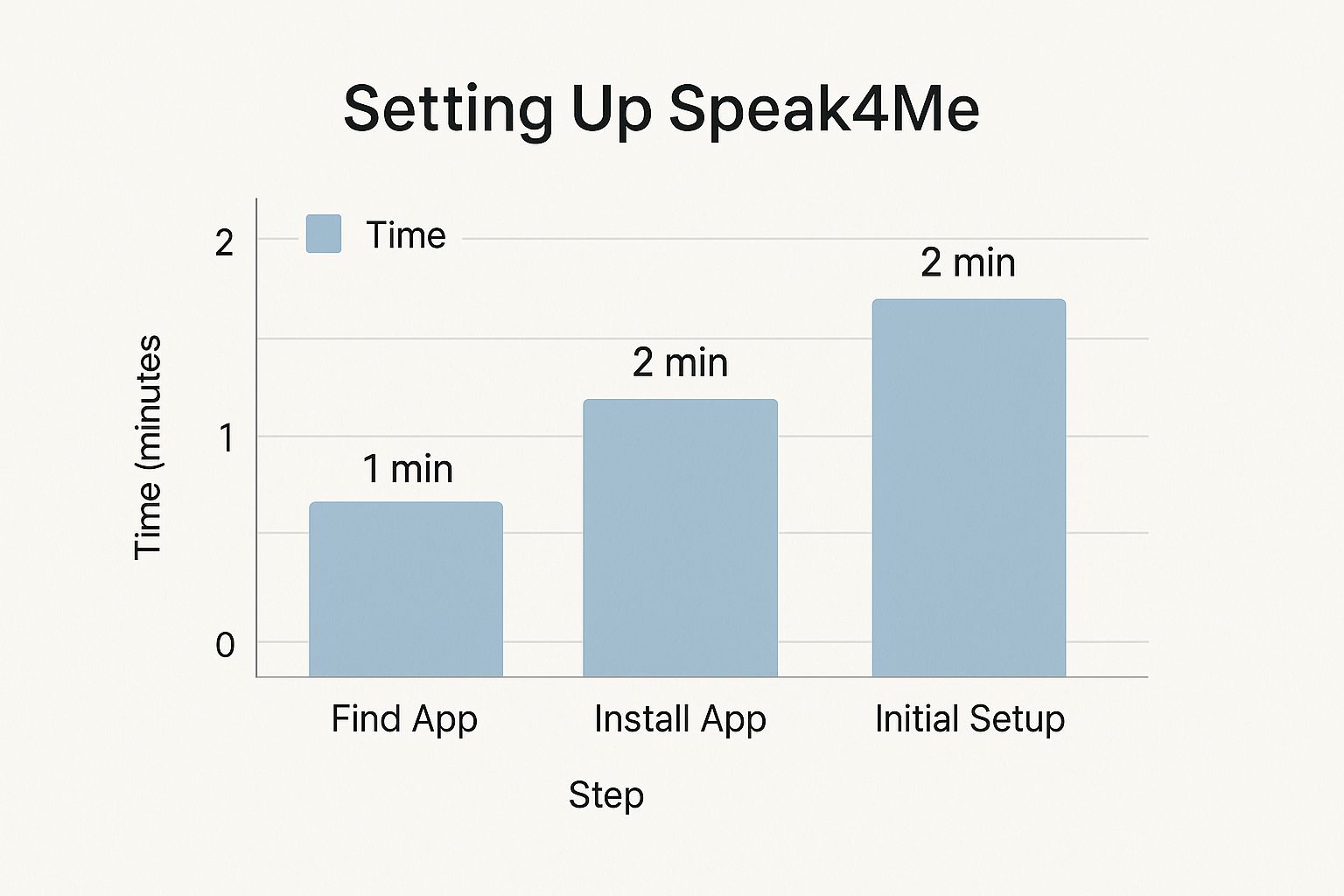
From finding the app to having it read your first article, you're looking at about five minutes, tops.
Ready to start listening? Transform your articles and documents into audio. Download Speak4Me free on iOS!
Personalize Your Listening Experience
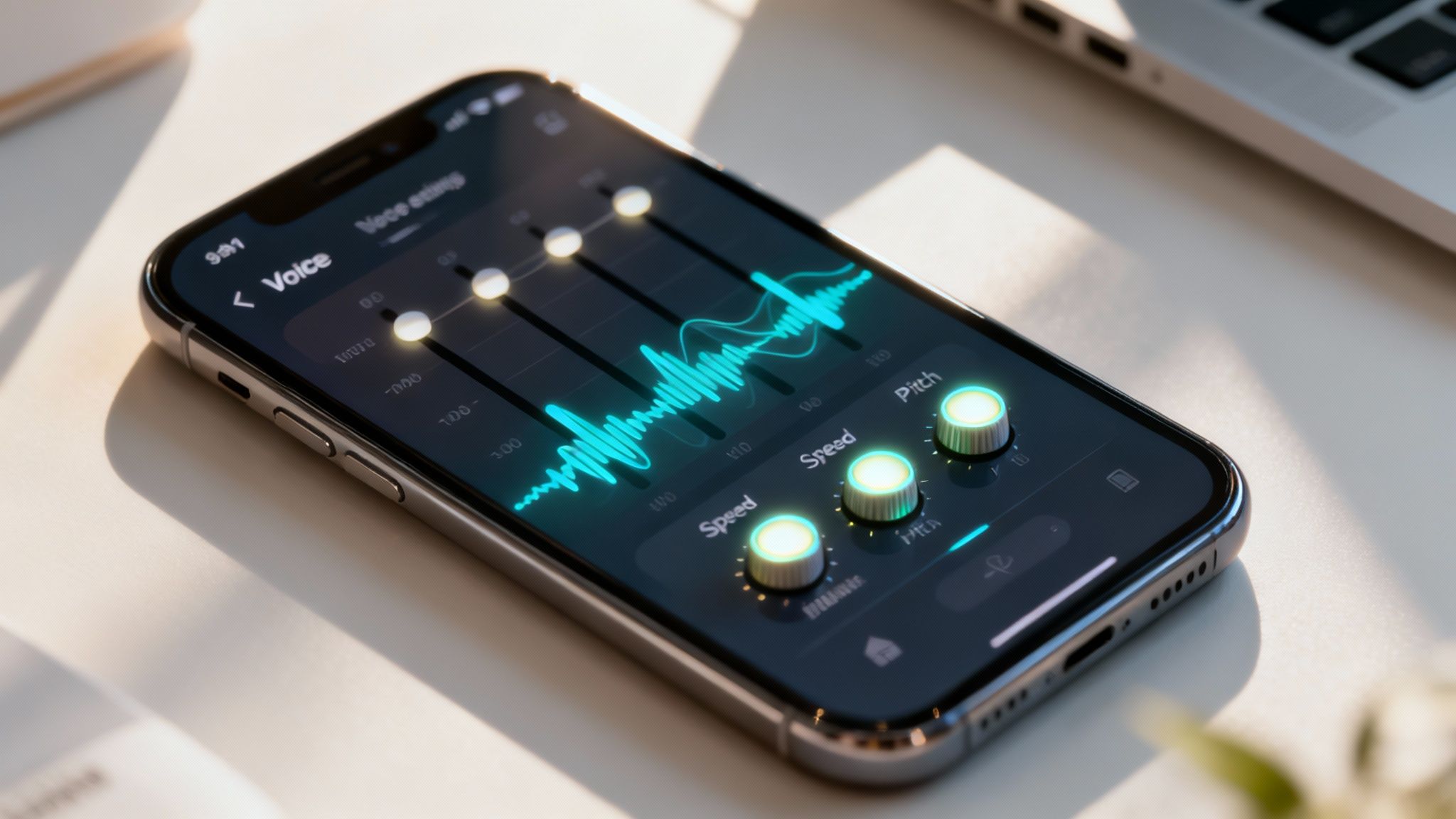
A good android app text to voice reads text out loud. A great one makes it feel like someone is actually reading to you, in a way that’s genuinely pleasant to listen to. Think of it like finding the perfect audiobook narrator—the right voice makes all the difference. Speak4Me is built on this idea, giving you a whole dashboard of controls to dial in the audio so it sounds just right for you.
This isn't just about making things sound nice. When you can set the voice, speed, and pitch perfectly, you can actually listen longer without getting tired or zoning out. It’s a huge help when you're trying to get through dense reports, study materials, or even just a long-form article you’ve been meaning to read.
Find Your Perfect Voice and Cadence
The first thing you’ll probably want to do is play around with the different voices. Speak4Me comes with a whole library of natural-sounding options, each with its own accent and personality. I find myself switching them up depending on what I'm listening to—a more formal, crisp voice for a work document, and a warmer, more casual tone for a novel or blog post.
Once you’ve found a voice you like, adjusting the reading speed is where the real magic happens.
Speeding It Up: Got a bunch of news articles to get through? Cranking up the playback speed is a game-changer for quickly absorbing information you’re already somewhat familiar with.
Slowing It Down: On the other hand, if I’m tackling a dense academic paper or a complex technical manual, I’ll slow it right down. This gives my brain the time it needs to actually process the details.
This simple slider turns the app from a basic reader into a powerful tool for productivity. If you want to explore all the options, we've got a full guide on how to change voices.
Fine-Tune the Pitch and Tone
Ever listened to an automated voice that was just a little too high-pitched or grating? Or maybe one that was too low and mumbled? That's where pitch control comes in. A tiny tweak here can make a world of difference, especially if you plan on listening for more than a few minutes. Lowering the pitch can make the voice sound calmer and more soothing, while raising it can add a bit of energy.
The best approach is to just experiment. Spend a few minutes tweaking the settings until you land on a combination that feels completely natural to your ears. The perfect mix of voice, speed, and pitch makes listening effortless. For those who want to take customization to the next level, technologies like voice cloning AI are opening up some incredible new possibilities.
It only takes a moment to adjust these settings, but the payoff is huge. You’re not just changing how an app sounds; you're creating a more effective and enjoyable way to get through your reading list. It’s the difference between a generic robot and a personal narrator.
Ultimately, the best android app text to voice is one that bends to your preferences, not the other way around. Download Speak4Me free on iOS and customize your listening experience.
Everyday Tips for Using Text to Voice
So, you've got a solid Android app text to voice like Speak4Me. Now what? Let's move beyond the basics and start weaving it into your daily routine. These aren't complicated tricks, just simple habits that can genuinely save you time, help you get more done, and make information easier to digest.
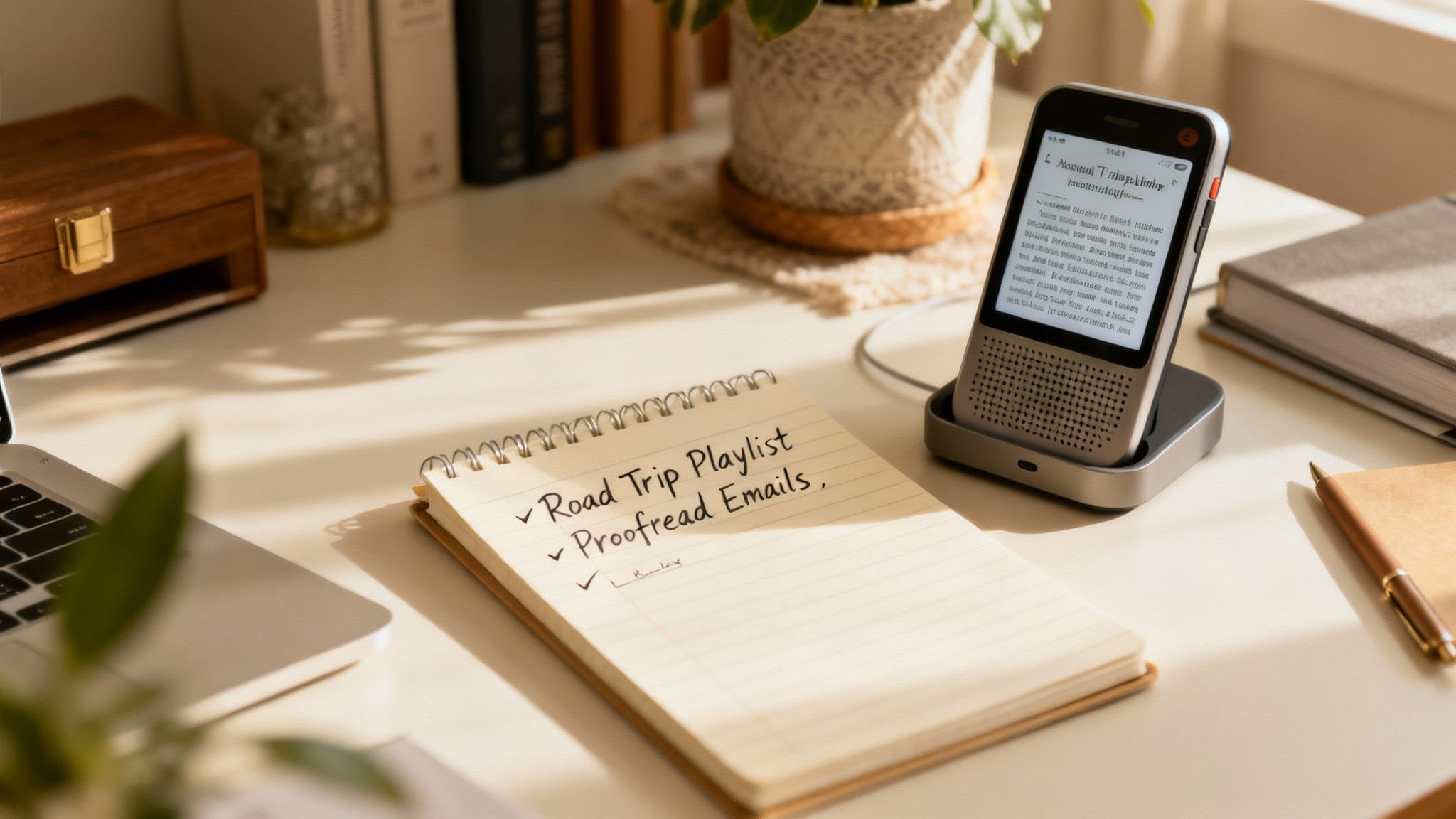
Think of it as turning your downtime into uptime. Instead of just reading, you're listening, which frees up your hands and eyes for other things.
Create a Listening Playlist for Your Commute
One of the best ways I’ve found to use text-to-voice is by queuing up a playlist for my travels. Before a long drive or even just the daily train ride, I’ll pull together all the articles, reports, or book chapters I need to get through and let Speak4Me turn them into audio.
Suddenly, that boring commute becomes a mobile classroom. You can catch up on industry news, review study notes, or finally get to that long-read article you saved weeks ago but never had the time for.
Use Audio to Proofread Your Own Writing
Ever sent an email and immediately spotted a typo? Here’s a pro tip: hearing your own words read back to you is an incredible proofreading tool. Our eyes have a knack for skimming right over mistakes, but our ears are fantastic at catching awkward phrasing, typos, and sentences that just don't land right.
Before you hit "send" on that important email or submit a big report, just paste the text into Speak4Me and have a listen. You’ll be surprised by what you catch. It's a simple step that makes your writing sound clearer and more professional every single time.
This strategy is about more than just finding errors. It’s about refining your tone and style, making you a much more effective communicator. It’s a little trick that delivers big results, fast.
Assist Family Members with Reading
A good Android app text to voice can be a real game-changer for helping others. If you have a family member who struggles with reading the tiny print on a phone screen, Speak4Me can be a huge help.
You can use it to read them text messages from friends, the latest news headlines, or instructions from a website. It’s a small thing that can make a big difference in their independence and ability to access digital information.
This kind of practical tech is part of a much bigger movement. The global text-to-speech software market was valued at USD 3.19 billion in 2024 and is expected to grow to USD 12.4 billion by 2033. That growth is being fueled by the real, human need for accessibility solutions. You can read the full research about the text-to-speech market to see just how big this is getting.
By making these small habits part of your routine, you really start to see what text-to-voice can do. It’s not just about getting text read aloud; it's about making information work for you, no matter what you’re doing.
Ready to make these tips a part of your daily life? Download Speak4Me free on iOS today.
Answering Your Text-to-Voice Questions
Once you start using an Android app text to voice, you'll naturally begin to wonder about its limits and capabilities. How far can you really push it? Let's walk through some of the most common questions that pop up, so you can get the absolute most out of tools like Speak4Me.
My goal here is to give you clear, practical answers. This way, you can use the app with confidence, whether you're catching up on an ebook during your commute or just proofreading a work document hands-free.
Can I Use Text-to-Voice Apps to Listen to Ebooks?
Absolutely! This is one of the most popular ways people use text-to-voice apps. If you have an ebook in a common format like PDF, or if you can simply copy the text from your e-reader app, you can turn it into an audiobook in seconds.
It’s a fantastic way to blaze through your reading list while you’re driving, at the gym, or just doing chores. All you have to do is import the file or paste the text, and you’ve got an instant audiobook. Your entire digital library just became a collection of on-demand audio content.
Does an Android App Text to Voice Work Offline?
Yes, for the most part. The core features of a good Android app text to voice are built to work perfectly without an internet connection. Once you’ve loaded the text into the app, the voice synthesis happens right on your device.
This makes the technology super reliable for travel. You can listen on a flight, on the subway, or even on a camping trip where you have zero bars. Being able to work offline means a spotty connection will never get in the way of your listening.
What Languages Are Supported by These Apps?
Today's text-to-voice apps are pretty impressive, supporting a huge range of languages and even specific regional dialects. This means you can listen to content from all over the world in a clear voice that actually sounds natural.
This is a game-changer in a few scenarios:
Learning a new language: Hearing native-like pronunciation is a massive help.
Keeping up with world news: Listen to articles from international sources with ease.
Working with global teams: Quickly review documents or emails written in other languages.
While we've been focused on turning text into audio, sometimes you need to do the opposite. For those moments when you need to capture spoken words in writing, a quality audio to text converter is an invaluable tool for creating fast, accurate transcripts.
Have more questions? Speak4Me can help you find the answers. Download Speak4Me free on iOS and explore all the features.
Try Speak4Me for Free
