The Best Voice Over Software for Any Project
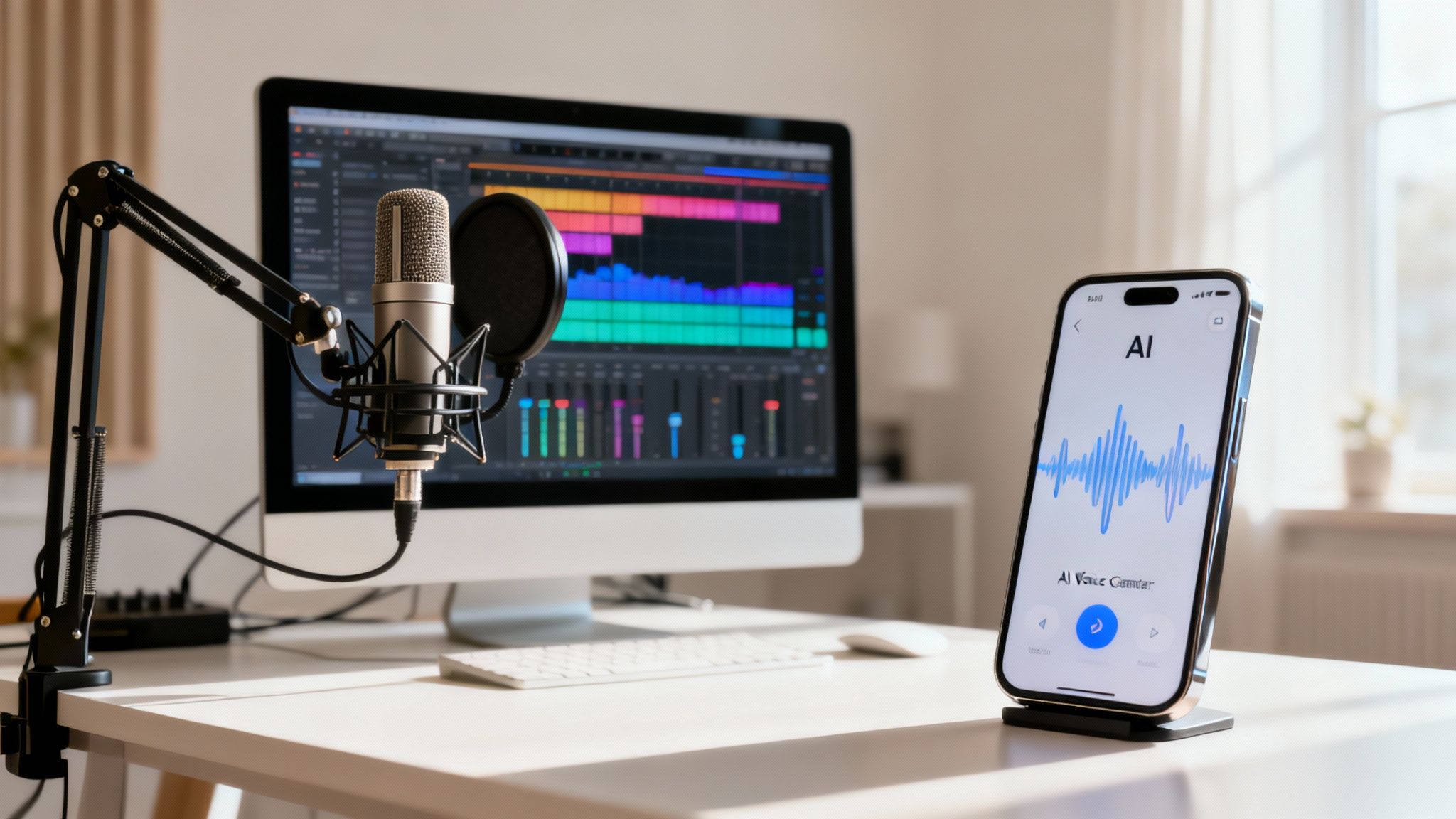
Picking the best voice over software really boils down to what you're trying to accomplish. If you're after total creative freedom and the kind of audio quality the pros demand, a Digital Audio Workstation (DAW) is your best bet. But if speed and efficiency are what you need, modern AI voice generators are often the smarter choice.
How To Choose The Right Voice Over Software
It's easy to get lost in all the options, but the decision gets a lot clearer when you think about the job at hand. For example, a podcaster juggling multiple audio tracks needs a different tool than a YouTuber who has to narrate ten videos by Friday. Their needs are worlds apart.
This guide will walk you through the two main camps of voice-over tools:
Professional Digital Audio Workstations (DAWs): Think of these as a complete recording studio inside your computer. They give you granular control over every single detail of the sound, making them the industry standard for music, film, and high-end commercials.
AI Voice Generators & Text-to-Speech Apps: These tools are built for speed. They can take a written script and spit out clean audio in moments, which is a lifesaver for creating quick video narrations, e-learning content, or accessibility features. An app like Speak4Me puts this power right in your pocket.
Top Voice Over Software at a Glance
The demand for high-quality audio is exploding across marketing, education, and entertainment, and the market reflects that. Valued at roughly USD 167 million in 2025, the global voice-over software market is expected to climb to USD 227.4 million by 2033.
This table gives you a quick snapshot to help you find your fit in this growing space.
Software Type | Best For | Skill Level | Key Differentiator |
|---|---|---|---|
Professional DAW | High-end audio production, music, podcasting, sound design | Intermediate to Advanced | Ultimate creative control and multi-track editing |
AI Voice Generator | Fast video narration, e-learning, accessibility, content scaling | Beginner | Unmatched speed and effortless audio generation |
Simple Audio Editor | Basic recording, trimming, and simple edits | Beginner | Free to use and ideal for learning the basics |
Mobile TTS App | On-the-go audio creation, reading assistance, quick voice overs | Beginner | Portability and turning any text into instant audio |
For video creators, the practical side of things is what matters most. If you're looking for a step-by-step tutorial, this article breaks down how to add voiceover to video using different tools.
Ultimately, your workflow is the deciding factor. If you just need to turn a script into a clear, consistent voice-over without getting bogged down in technical details, an app like Speak4Me is the most direct route. Download Speak4Me free on iOS and see how fast you can create audio.
The Power of AI Voice Over Generators
The biggest change to hit audio production in years is the rise of AI. Today’s AI voice generators use sophisticated text-to-speech tech to create incredibly realistic, human-sounding narration in minutes. For many creators, this has completely upended their old workflows.
Think about it: instead of the old cycle of booking studios and hiring voice actors, you can now generate consistent, high-quality audio whenever you need it. This is especially useful for projects that need narration in multiple languages or accents. The technology handles localization tasks that used to require weeks of coordination.
Speed and Cost Efficiency
The most obvious wins are the huge savings in time and money. Traditional voice-over work is a long haul of auditions, scheduling, recording sessions, and post-production. It’s expensive and slow. With AI, a script can become a finished audio file in less time than it takes to brew a pot of coffee.
This kind of efficiency opens up entirely new possibilities. When you're looking at AI platforms, check for those with advanced text-to-speech capabilities that can turn your script into a natural-sounding voice-over without the wait.
AI completely changes the economics of audio production. It gives a single creator the power to produce the volume of content that once required a small team. Suddenly, professional-sounding audio is within everyone's reach.
This shift is a game-changer for individuals and small teams in marketing, education, and online media, letting them produce more content, faster than ever. You can dig deeper into how a voice over generator can fit into different kinds of projects.
Scalability and Consistency
Another massive benefit is scalability. An AI voice is always on call and delivers the exact same tone and cadence every single time. This guarantees brand consistency across hundreds of videos or e-learning modules—a level of reliability that's almost impossible to maintain with human talent over the long run.
There's a reason this market is taking off. In 2025, the AI voiceover tool market was valued at USD 1.5 billion and is expected to grow at a 22% CAGR. This explosion is driven by the growing need for high-quality synthetic voices in video, podcasting, and other digital media.
If you want an easy way to tap into this power, you can get started right away. Download Speak4Me free on iOS and start turning your text into clear, ready-to-use audio on the go.
When to Use a Professional DAW
While AI voice generators are incredibly fast, some projects just demand the hands-on, granular control you can only get from a professional Digital Audio Workstation, or DAW. A DAW is the gold standard in the audio world, especially when top-tier quality and intricate editing are absolute musts.
Think of tools like Adobe Audition. They aren't just simple recorders; they're full-blown post-production powerhouses. With a DAW, you can layer multiple tracks, painstakingly fix audio imperfections, and master the final mix to meet exacting broadcast standards.
Scenarios Demanding a DAW
If your project sounds like anything on this list, a professional DAW is almost certainly the best voice over software for you. You'll need its muscle for things like:
Audiobooks and Long-Form Narration: These projects require rock-solid consistency over hours of recording. A DAW helps you manage different takes, surgically remove breaths or mistakes, and maintain a uniform volume and tone from the first chapter to the last.
Broadcast Commercials and Film: Audio destined for TV, radio, or the big screen has to meet strict technical specs. The mastering tools in a DAW give you total control over compression, EQ, and loudness levels to ensure your audio is compliant and sounds amazing.
Complex Sound Design: When you're weaving a voice-over with music, sound effects, and ambient tracks, the multi-track environment of a DAW is your best friend. It’s the only way to mix and balance every single audio element into a cohesive final product.
A DAW gives you a level of creative authority that simpler tools just can't touch. It’s like the difference between a point-and-shoot camera and a professional DSLR—both take pictures, but one gives you infinite control over the final image.
The Trade-Offs: Learning Curve and Hardware
Of course, all that power comes at a price. DAWs have a steep learning curve and are packed with technical jargon and advanced features. Getting the hang of one takes a real investment of time and effort, which might be overkill if your needs are straightforward.
You also have to remember that professional audio requires more than just software. To get clean sound that’s even worthy of a DAW, you’ll need a quality microphone, an audio interface to connect it to your computer, and a quiet, acoustically treated recording space.
For many creators, the goal isn't complex sound engineering—it's clear and quick communication. If you just need to turn a script into speech for a video, presentation, or e-learning module, the heavy-duty features of a DAW are often more trouble than they're worth.
In those cases, a direct and efficient tool is a much better fit. You can start creating clean audio right away with a simpler solution. Download Speak4Me free on iOS and instantly turn your scripts into polished voice-overs.
Head-to-Head Feature Comparison
Alright, let's get into the weeds and pit AI voice generators directly against traditional Digital Audio Workstations (DAWs). Picking the best voice over software really boils down to knowing which tool handles the specific tasks your project demands. This is where the real differences show up.
The magic of a good AI tool is how human-like it sounds. The best platforms today can generate audio that’s genuinely hard to distinguish from a real person, especially for things like e-learning or video narration. They offer huge libraries of languages and accents, which means you can create localized content on the fly. You also get a decent amount of control to tweak things like pitch, speed, and even emotional delivery, all without touching a complex audio editor.
DAWs are a completely different beast—they're all about surgical precision. Their entire purpose is to give you granular control over every tiny detail of a recording. You can manually snip out an unwanted breath, erase a subtle mouth click, or remove background noise with pinpoint accuracy. This is non-negotiable for professional-grade projects like audiobooks or broadcast commercials where every sound has to be perfect. Plus, DAWs open the door to a universe of third-party plugins for audio restoration and creative effects that AI tools just don't have.
Voice Generation and Editing Precision
An AI generator’s main job is to create a voice from a script. Let's say you need a consistent brand voice for a whole series of marketing videos. You can use an AI tool, often with voice cloning features, to ensure every single video sounds exactly the same. The trade-off? If the AI mispronounces a single word, your only real options are to try regenerating the phrase or mess with phonetic spellings, which can be hit-or-miss.
A DAW works from the opposite direction. It’s not there to create the audio, but to perfect it. Imagine you’ve recorded a great podcast interview, but a police siren wails in the background for a few seconds. In a DAW, you can use specialized tools to surgically remove that specific sound frequency without degrading the speaker's voice. This kind of audio repair is simply not on the table with most AI generators.
This visual really helps to frame the trade-offs you're making between speed, control, and cost.
As the infographic highlights, AI generators are clear winners for speed and budget-friendliness, while DAWs give you absolute creative authority.
To really nail down which approach is right for you, let’s break down some core features side-by-side. This table puts a typical AI tool against a standard DAW to show you where each one shines.
Core Feature Showdown: AI vs. DAW
Feature | AI Generator (Speak4Me) | DAW (Example) | Best Use Case |
|---|---|---|---|
Voice Creation | Generates speech from text. | Records live audio. | AI: Creating new voices without a microphone. DAW: Capturing a real performance. |
Voice Cloning | Yes, creates a digital replica of a voice. | No, not a native feature. | AI: Consistent brand voice for corporate videos. |
Multi-track Editing | Limited or none. | Yes, comprehensive layering. | DAW: Mixing dialogue, music, and sound effects. |
Audio Repair | Basic noise reduction only. | Advanced tools (spectral repair). | DAW: Cleaning up imperfect recordings. |
API Access | Often available for automation. | Not typically offered. | AI: Integrating voice generation into apps. |
Speed & Efficiency | Extremely fast (minutes). | Time-intensive (hours). | AI: Rapid prototyping and high-volume content. |
This comparison makes it clear that these tools aren't really direct competitors; they solve different problems. An AI generator is like having a voice actor on-demand, while a DAW is a complete recording studio.
The core difference is simple: AI generators build the audio for you, while DAWs give you the tools to build it yourself. Your choice depends on whether your priority is efficiency or absolute authority over the final sound.
Understanding this distinction is everything. If you just need clean voice-overs from text and speed is your top priority, a simple and efficient tool is the obvious choice. To see just how easy it can be, Download Speak4Me free on iOS and try creating your own audio in a matter of seconds.
Picking the Right Tool for the Job
A software's feature list is just a starting point. What really matters is how it performs when you're actually trying to get work done. The best voice over software for you is simply the one that solves your problem without getting in your way.
Let's look past the specs and see how these tools fit into real-world scenarios.
For YouTubers and Content Creators
If you're a YouTuber pushing out new videos every week, you live and die by your workflow. Speed and simplicity are everything. You don't have time to wrestle with a complicated audio editor or spend hours learning a new system just to record a narration.
This is where an AI voice generator really shines. Being able to paste your script, generate a professional-sounding voice over in a few minutes, and drop it straight into your video editor is a game-changer. Plus, using the same AI voice across all your videos gives your channel a consistent, recognizable sound.
For E-Learning and Corporate Training
Instructional designers building out e-learning courses have a different set of problems. They need scalability and consistency above all else. The narration has to be perfectly clear and easy to update, maintaining the exact same tone across an entire training program.
AI tools are practically built for this. Imagine needing to update a single sentence in a course you created a year ago. With an AI generator, you can create new audio that perfectly matches the original—something that’s incredibly difficult to do with a human voice actor. The ability to produce hours of narration without booking studio time makes AI a huge asset for training departments.
The right tool removes friction from your creative process. For a marketer needing a quick social media ad voice over, a simple text-to-speech app is far more practical than a professional audio suite designed for complex sound engineering.
For Marketers and Social Media Managers
Marketers creating ads for platforms like TikTok and Instagram have seconds to grab someone's attention. They need a library of energetic, modern, and engaging voices that match the fast pace of social media.
An app like Speak4Me with a wide variety of voice styles is essential here. Many AI platforms even offer voices specifically trained for ads and promotional content. For those who need to move even faster, a mobile text-to-speech app can be a lifesaver. Of course, a great voice over starts with a great script, and looking at voice over script examples is a perfect way to get started.
At the end of the day, a great tool solves a specific problem. If your goal is to turn text into speech effortlessly, an app designed for that one purpose is the perfect solution. Download Speak4Me free on iOS to start creating clear, effective voice overs today.
So, How Do You Choose?
Alright, we've laid out the options. Now, picking the right voice-over tool really boils down to what you’re trying to accomplish. The best software for you should feel like an extension of your creative process, not a technical roadblock. It’s all about finding that sweet spot between speed, creative freedom, and what your wallet can handle.
If you’re all about speed and churning out a lot of content, an AI voice generator is a no-brainer. Think about creating consistent audio for a YouTube series, developing e-learning courses, or just getting content out the door fast. These tools strip away the complexities of audio engineering and just get the job done.
What Do You Really Need?
On the flip side, if you're a perfectionist who needs to control every little detail, then a Digital Audio Workstation (DAW) is your world. It's the go-to for professional-grade audio post-production, complex sound design, and any project where the sound has to be absolutely perfect. Just be prepared for a steeper learning curve and more time behind the controls.
And what if you're just starting out? Free tools are a fantastic way to dip your toes in the water. They let you learn the ropes and handle simple, one-off tasks without spending a dime. It’s a zero-risk way to figure out what you need before you invest in something more powerful.
Before you pull the trigger, take a moment and be honest about your needs. Think about your budget, how comfortable you are with technology, and how much hands-on control you genuinely want. The best tool is always the one that fits right into your workflow.
This entire industry is exploding thanks to huge strides in voice and speech recognition, a market expected to hit a staggering USD 31.8 billion by 2025. All that investment is what’s driving the incredible quality and features we see in today’s software. You can get the full scoop on the booming voice technology market here.
If your main goal is to create clean, professional voice-overs straight from your phone, getting started is just a tap away. See for yourself how simple it can be to turn your text into high-quality audio.
Download Speak4Me free on iOS and create your first project today.
A Few Common Questions
Jumping into the world of voice-over software can feel like a lot. You've got questions, and that's a good thing. Let's clear up a few of the most common ones so you can pick the right tool with confidence.
What’s The Best Voice Over Software If I'm Just Starting Out?
If you're a beginner, an AI voice generator is almost always the right choice. Their whole design is built around simplicity. You type in your script, hit a button, and you get audio. This approach lets you skip the steep learning curve that comes with traditional recording and editing software.
Of course, you could dive into a free tool like Audacity to learn the ropes of audio editing, but be prepared for a more hands-on, technical experience. For the smoothest start, a simple mobile app like Speak4Me is probably your best bet.
The best tool for a beginner is one that lets you create without getting bogged down. An app like Speak4Me, for example, turns text into speech with just a few taps. It’s a perfect entry point into making your own audio.
My advice? Try an app first. See what kind of workflow clicks with you before you commit to anything.
Can I Really Get Professional-Sounding Voice Overs From An App?
Look, nothing will ever beat a professional studio with a high-end microphone and a Digital Audio Workstation (DAW). But let's be realistic—the quality you can get from today's AI and mobile apps is remarkably good. It’s more than enough for a huge variety of projects.
For things like online videos, business presentations, e-learning courses, or website accessibility, the audio from a solid text-to-speech app is clean, consistent, and completely up to the task.
An app like Speak4Me is a great example of this. It’s designed to produce crisp, clear audio for exactly these kinds of projects, right from your phone.
How Much Should I Budget For Voice Over Software?
The price tags on these tools are all over the map, and it really comes down to what they can do. Here’s a quick look at the typical costs:
Professional DAWs: For heavy-duty editing software like Adobe Audition, you're usually looking at a subscription model, typically around $20 to $50 per month.
AI Voice Generators: These services often use a tiered pricing system based on how much you generate (think characters or hours of audio). Plans can start with a free tier and go up to several hundred dollars a month for power users.
Free Software: Don't forget there are fantastic free options out there. Audacity gives you a powerful set of basic editing tools without costing a dime.
Ultimately, how much you should spend depends on your needs. If you're creating voice-overs daily for your business, an AI subscription is a fantastic investment. But for a one-off personal project, a free tool will likely get the job done just fine.
Ready to turn your words into clean, useful audio without all the fuss? Speak4Me makes creating high-quality voice-overs from your phone incredibly simple.
Try Speak4Me for Free
