12 Dyslexia app reading You Should Know
Finding the right dyslexia app for reading can be a game-changer, transforming frustrating text into accessible information. The challenge isn't a lack of options, but rather sorting through the vast number of apps to find the one that fits your specific needs. Whether you're a student, a professional, or someone looking to make reading more comfortable, the right tool can make a significant difference.
This guide simplifies your search. We've compiled a detailed list of the best reading apps designed to support individuals with dyslexia and other learning differences. Instead of generic descriptions, we provide a practical breakdown of each tool's core features, ideal use cases, and potential limitations. You'll find screenshots and direct links for every app, helping you see exactly how they work.
Our goal is to give you a clear, honest comparison so you can confidently choose the best dyslexia app reading solution for your workflow. We'll explore powerful text-to-speech tools, customizable reading interfaces, and platforms that offer extensive libraries of accessible books. For a comprehensive tool that combines many of these features into one simple interface, consider starting with a powerful text-to-speech reader.
Download Speak4Me free on iOS to see how assistive technology can immediately improve your reading experience.
1. Speak4Me
Speak4Me stands out as a premier text-to-speech platform, offering a comprehensive and robust solution for individuals seeking a powerful dyslexia app for reading. It helps transform nearly any form of text, from web articles and PDFs to scanned physical documents, into high-quality, natural-sounding audio. This versatility makes it an indispensable tool for accessing a wide range of written materials without the traditional barriers of reading.
The platform’s design thoughtfully supports diverse learning needs. By engaging both auditory and visual pathways, it can assist with focus, retention, and comprehension for users with dyslexia. The ability to adjust playback speeds up to twice the average reading rate also allows users to consume content efficiently, aligning with their personal processing pace.
Key Strengths and Use Cases
What truly elevates Speak4Me is its innovative ChatWithMe feature. This allows users to interact directly with their documents by asking questions. The app then provides concise, tailored answers or summaries, which can be instantly converted to speech. For students, this means turning dense academic papers into digestible Q&A sessions. For professionals, it's a way to quickly extract key insights from long reports before a meeting.
Speak4Me offers specialized voices designed to cater to varied preferences, which is a critical consideration for sustained listening comfort. Its seamless integration with iCloud, Dropbox, and Google Drive ensures that your library is always accessible across devices. The platform is offered free for educational institutions, making it an exceptional and accessible resource in academic settings.
Website: https://speak4me.io
Ready to transform your reading experience? Download Speak4Me free on iOS.
2. Apple App Store
For anyone using an iPhone or iPad, the Apple App Store is the central hub for finding powerful assistive technology, making it an essential resource for dyslexia app reading. It serves as a secure, well-organized marketplace where you can discover, purchase, and manage applications designed to support different learning needs. The store’s curated lists and detailed accessibility information help users find high-quality tools like Bookshare Reader and Voice Dream Reader.

Key Considerations
Apple's ecosystem provides a seamless experience, ensuring that apps work consistently across all your devices. The platform stands out due to its strict quality and privacy standards, giving users confidence in the apps they download. Family Sharing is another key benefit, allowing you to share purchased apps with family members, which can be a cost-effective solution.
What Makes It Stand Out:
Curated Selection: Discover apps specifically vetted for accessibility and educational value.
Integrated Ecosystem: Enjoy a smooth experience with apps that sync across iPhone, iPad, and Mac.
Strong Privacy Controls: Feel secure knowing Apple enforces high privacy standards for all apps.
A practical tip is to use specific search terms like "dyslexia text reader" or "OCR scanner" to find the most relevant tools. Many apps, including our recommended solution, are readily available for download. Download Speak4Me free on iOS.
Website: https://apps.apple.com
3. Google Play Store
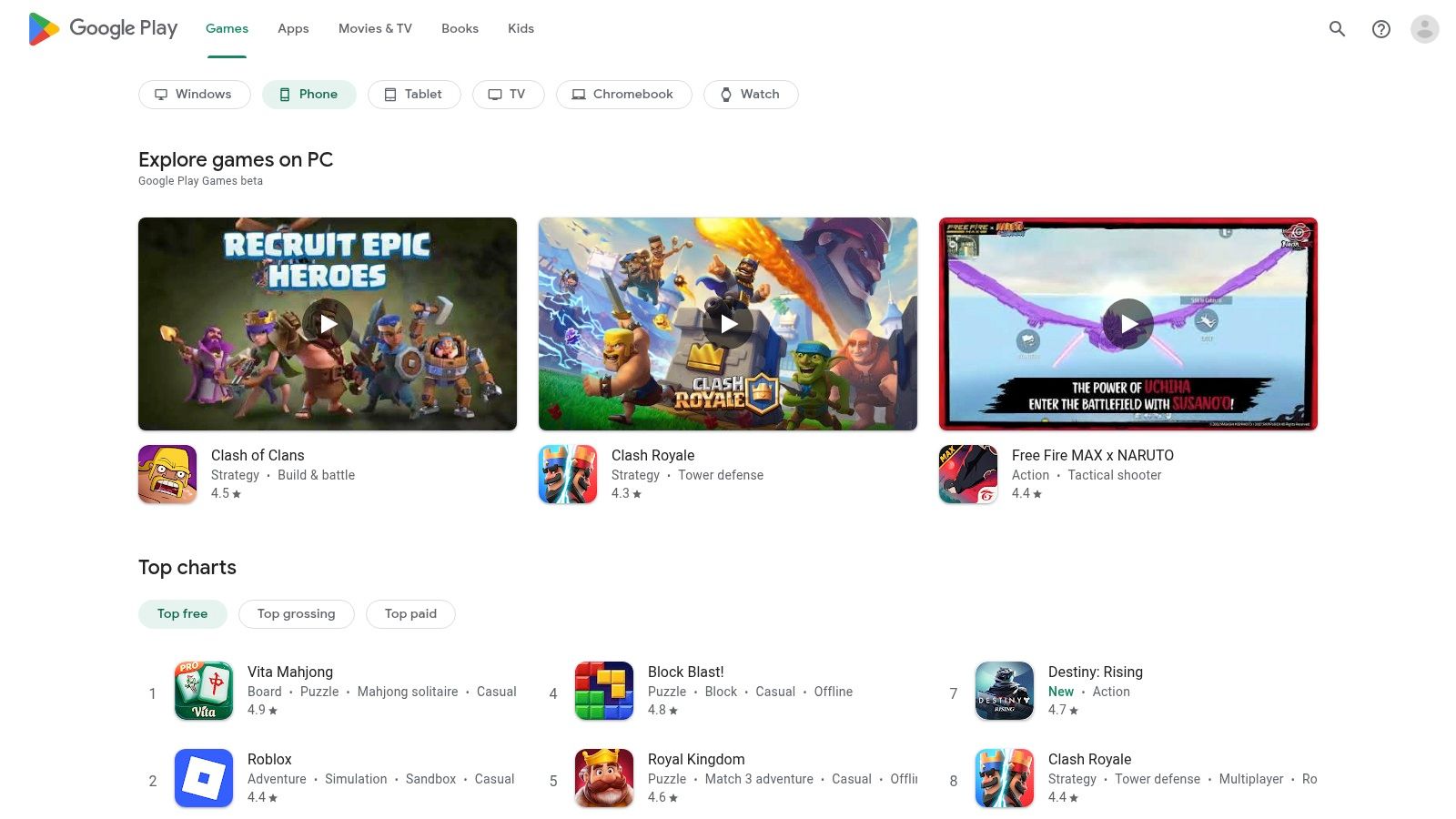
For Android users, the Google Play Store is the primary marketplace for discovering dyslexia app reading tools and other assistive technologies. It serves as an expansive and accessible platform where you can find, download, and manage applications designed to support diverse learning needs, including powerful text-to-speech readers and OCR scanners. The store’s wide selection ensures that users on Android phones, tablets, and Chromebooks can find effective solutions.
Key Considerations
The Google Play Store excels in its broad device compatibility, making it a go-to for schools and families using Android and ChromeOS devices. Its Family Library feature allows for sharing eligible app purchases, offering a budget-friendly way to equip multiple users with essential tools. While the open nature of the platform provides variety, it also means users should carefully review app ratings and descriptions to ensure quality and suitability.
What Makes It Stand Out:
Wide Device Compatibility: Access apps on a vast range of Android and Chromebook devices.
Family Library: Share purchased apps with family members, reducing overall costs.
Integrated Google Features: Many apps connect seamlessly with Google Drive and other services.
To find the best tools, use search terms like "reading assistance for dyslexia" or "text-to-speech app." Many powerful solutions that help with reading comprehension are available right on the platform. Download Speak4Me free on iOS to support your reading journey.
Website: https://play.google.com/store
4. Bookshare
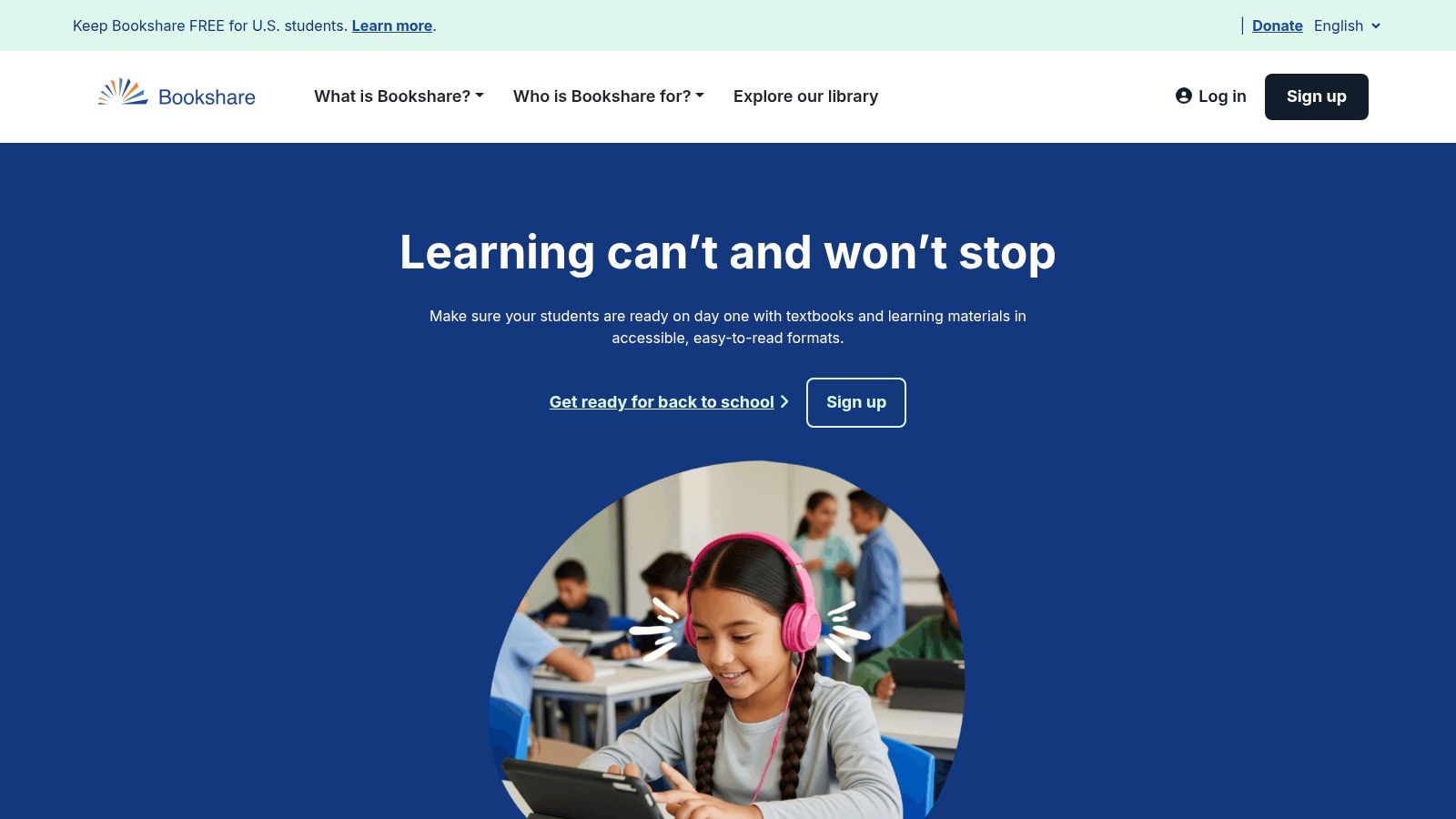
Bookshare is the world's largest online library of accessible ebooks for people with reading barriers, making it a cornerstone resource for dyslexia app reading. It offers over one million titles, including textbooks, bestsellers, and career resources, all available in formats that support read-aloud text, large font, and braille. The platform is designed to give individuals with print disabilities equal access to information.
Key Considerations
Bookshare's massive library is its primary advantage, providing unparalleled access to educational and recreational materials without waitlists. Qualified U.S. students of all ages can get a membership for free, while adults pay a modest annual fee. The platform requires proof of a qualifying disability to ensure its resources reach the intended audience. Bookshare files are compatible with many reading apps, allowing users to choose the tool that works best for them.
What Makes It Stand Out:
Vast Library: Access over a million titles, including essential textbooks and popular literature.
Free for U.S. Students: Eligible students can use the entire library at no cost.
Multiple Formats: Books can be read with text-to-speech, highlighting, large type, or braille.
A practical way to use Bookshare is by integrating it with a powerful text-to-speech app like Speak4Me. After downloading a book, you can open it in an app that assists with reading comprehension. Download Speak4Me free on iOS to pair its advanced reading tools with Bookshare’s extensive collection.
Website: https://www.bookshare.org
5. Learning Ally
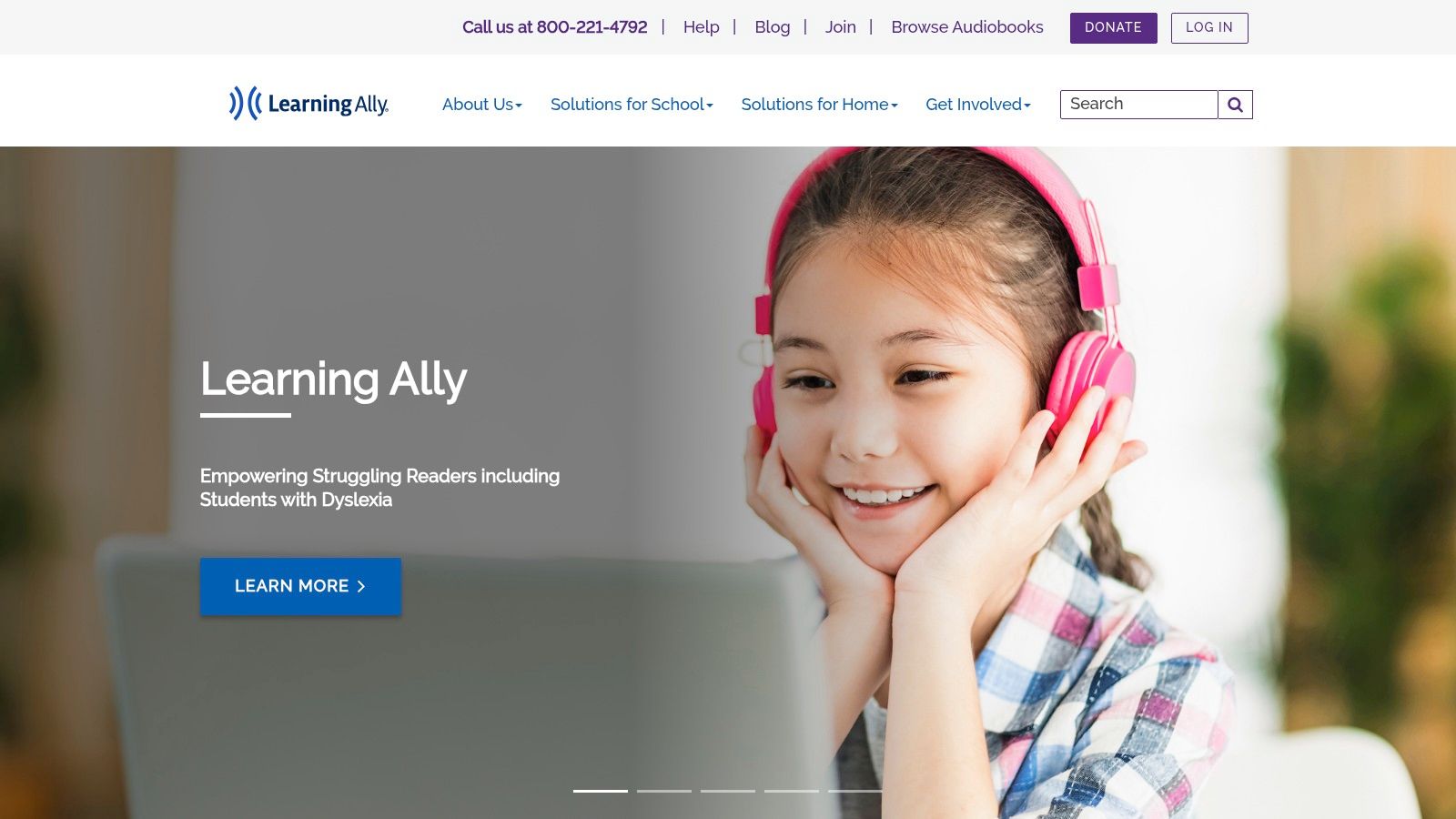
Learning Ally is a nonprofit organization dedicated to providing an extensive library of human-narrated audiobooks, making it a powerful resource for dyslexia app reading. The platform focuses primarily on K-12 students, offering curriculum-aligned textbooks and popular literature to support academic success. By providing high-quality audio that syncs with highlighted text, Learning Ally helps improve reading comprehension and fluency for learners with print disabilities.
Key Considerations
The platform's strength lies in its human-read audio, which offers a more engaging and natural listening experience than synthesized voices. This is particularly beneficial for comprehension and retention. Learning Ally also provides robust support for educators and families, including resources and coaching. Access requires a membership and proof of a documented reading deficit, ensuring the service reaches its intended audience.
What Makes It Stand Out:
Human-Narrated Audiobooks: Offers high-quality narration that enhances understanding and engagement.
Educational Focus: Provides a large catalog of K-12 textbooks and required reading materials.
Comprehensive Support: Includes resources for teachers, parents, and schools to support student learning.
A great tip for users is to explore the built-in study tools, which allow you to highlight, take notes, and add bookmarks directly within the app. For a versatile text-to-speech tool that can read text from any source, consider trying our recommended solution. Download Speak4Me free on iOS to get started.
Website: https://learningally.org
6. Voice Dream Reader
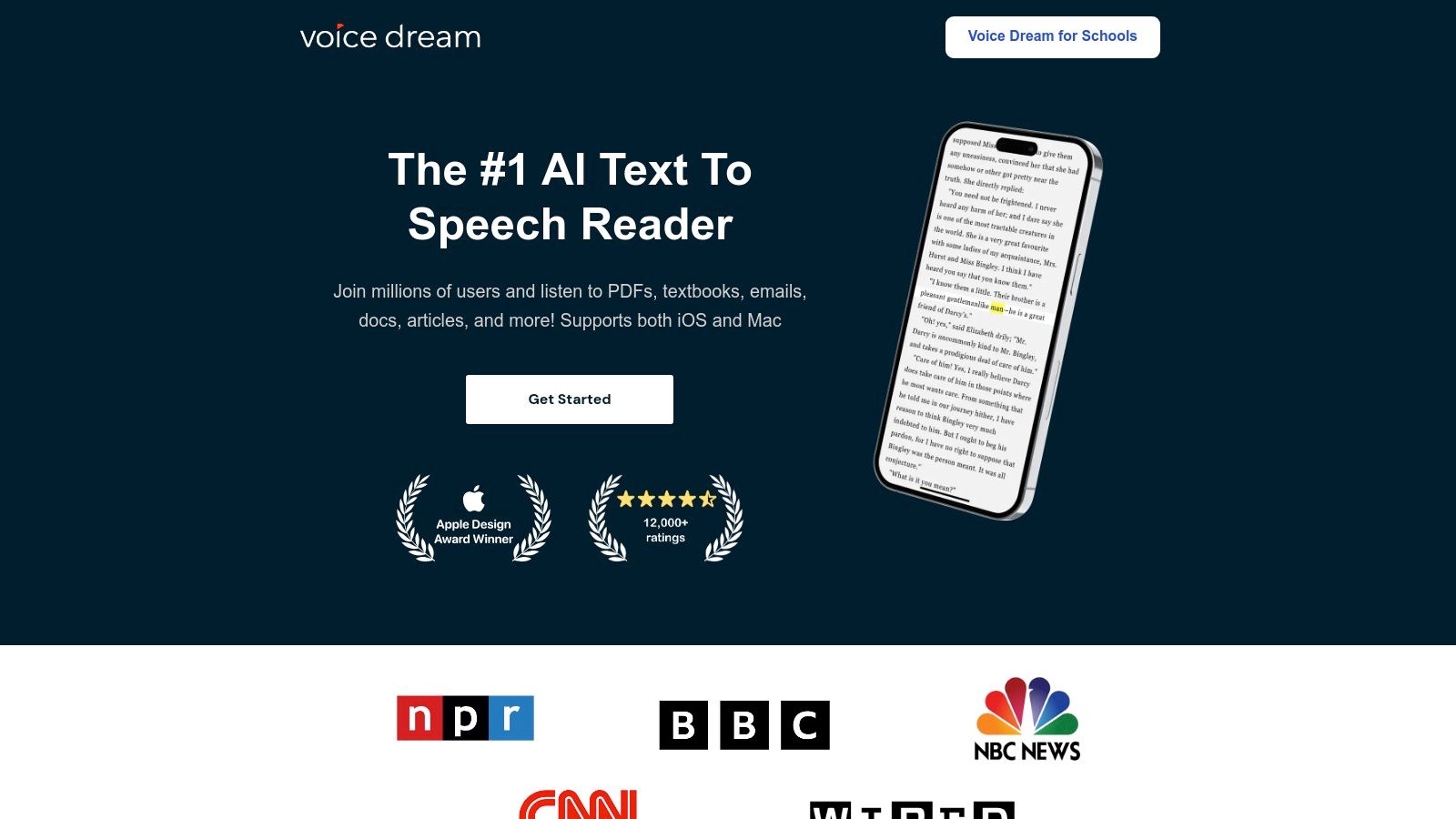
Voice Dream Reader is a highly acclaimed text-to-speech (TTS) tool specifically designed to make reading accessible for everyone, making it an excellent resource for dyslexia app reading. The platform excels at converting text from nearly any source, including PDFs, web pages, and Bookshare, into natural-sounding speech. Its powerful combination of synchronized highlighting and customizable voices helps improve reading fluency and comprehension for users on iOS and macOS.
Key Considerations
Voice Dream Reader’s strength lies in its extensive customization options, allowing users to tailor the visual and auditory experience to their specific needs. You can adjust reading speed, fonts, and color schemes while choosing from a large library of premium voices. This level of personalization creates a focused, distraction-free environment that supports different learning styles and has established the app as a reliable choice in the assistive technology community.
What Makes It Stand Out:
Synchronized Highlighting: Follow along easily as words and lines are highlighted in sync with the spoken text.
Extensive File Support: Import and read documents from PDFs, EPUBs, DAISY books, and cloud services like Dropbox and Google Drive.
High-Quality Voices: Access a large library of natural-sounding voices that can be used offline.
To get the most out of the app, try different voice and speed combinations to find what best suits your listening style. For a powerful reading assistant on your iOS device, Download Speak4Me free on iOS.
Website: https://www.voicedream.com
7. Speechify
Speechify is a powerful text-to-speech platform designed to make reading accessible across all your devices. Its primary strength lies in its versatility, offering browser extensions, web-based tools, and mobile apps that convert text from webpages, PDFs, and even scanned documents into natural-sounding audio. This makes it a go-to solution for individuals seeking a robust dyslexia app reading experience that integrates seamlessly into their daily workflow.
Key Considerations
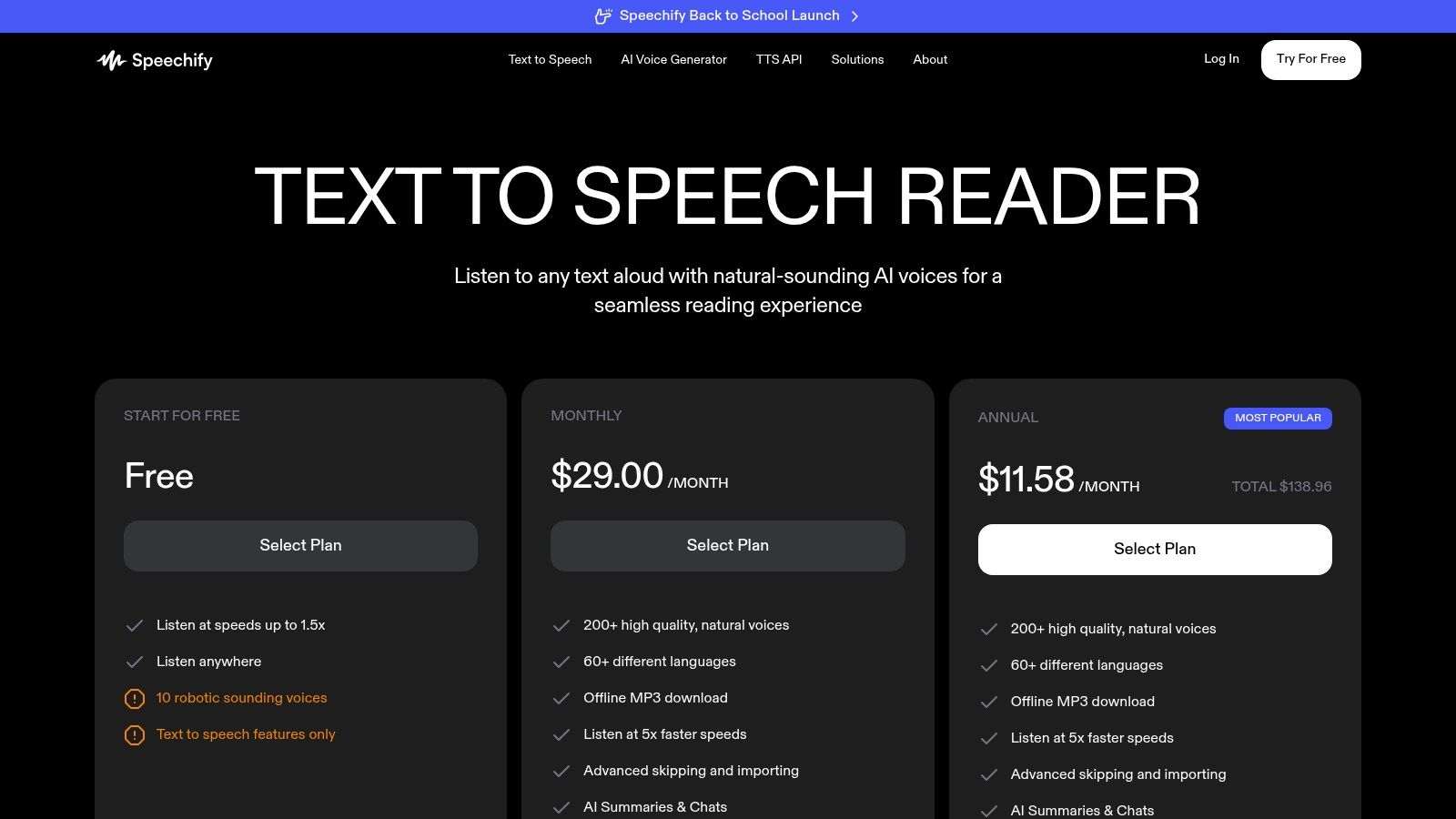
Speechify excels at providing a consistent listening experience, allowing you to start reading an article on your laptop and finish it on your phone during a commute. The platform's extensive library of high-quality, natural-sounding voices and languages helps maintain engagement, a critical factor for users with reading difficulties. While its premium version is a significant investment billed annually, the cross-platform synchronization offers unparalleled convenience for students and professionals. For more details on how text-to-speech supports learners, discover how apps can help with dyslexia.
What Makes It Stand Out:
Cross-Platform Sync: Start reading on one device and seamlessly continue on another.
Extensive Voice Library: Choose from over 200 natural voices and 60+ languages.
Versatile Text Input: Reads everything from webpages and PDFs to scanned physical text.
A helpful tip is to use the browser extension to build a library of articles to listen to later. For a more integrated experience that focuses on your own documents, you can try our solution. Download Speak4Me free on iOS to get started.
Website: https://speechify.com/en/pricing/
8. Texthelp Read&Write
Texthelp Read&Write is a comprehensive literacy support toolbar that integrates seamlessly with web browsers, word processors, and common digital learning environments. It goes beyond simple text-to-speech, offering a full suite of tools designed to assist with reading, writing, and studying. This makes it an invaluable resource for students and individuals seeking a holistic solution for dyslexia app reading support.
Key Considerations
Widely adopted in educational institutions, Read&Write provides a consistent support experience across different platforms like Google Workspace and Microsoft 365. Its strength lies in its broad functionality, which includes word prediction, picture dictionaries, and screen masking to improve focus. While individual pricing can be higher than single-purpose apps, the value it offers as an all-in-one suite is significant for dedicated users. Learn more about how Texthelp Read&Write helps read text aloud.
What Makes It Stand Out:
Comprehensive Suite: Access tools for highlighting, vocabulary building, and reading aloud in one place.
Platform Integration: Works across web pages, PDFs, and popular productivity software.
Strong Educational Focus: Widely trusted and implemented in K-12 and higher education settings.
For an even more straightforward text-to-speech experience, you can also explore powerful mobile tools. Download Speak4Me free on iOS to get started with a dedicated reading assistant.
Website: https://www.texthelp.com/pricing/
9. Microsoft Immersive Reader
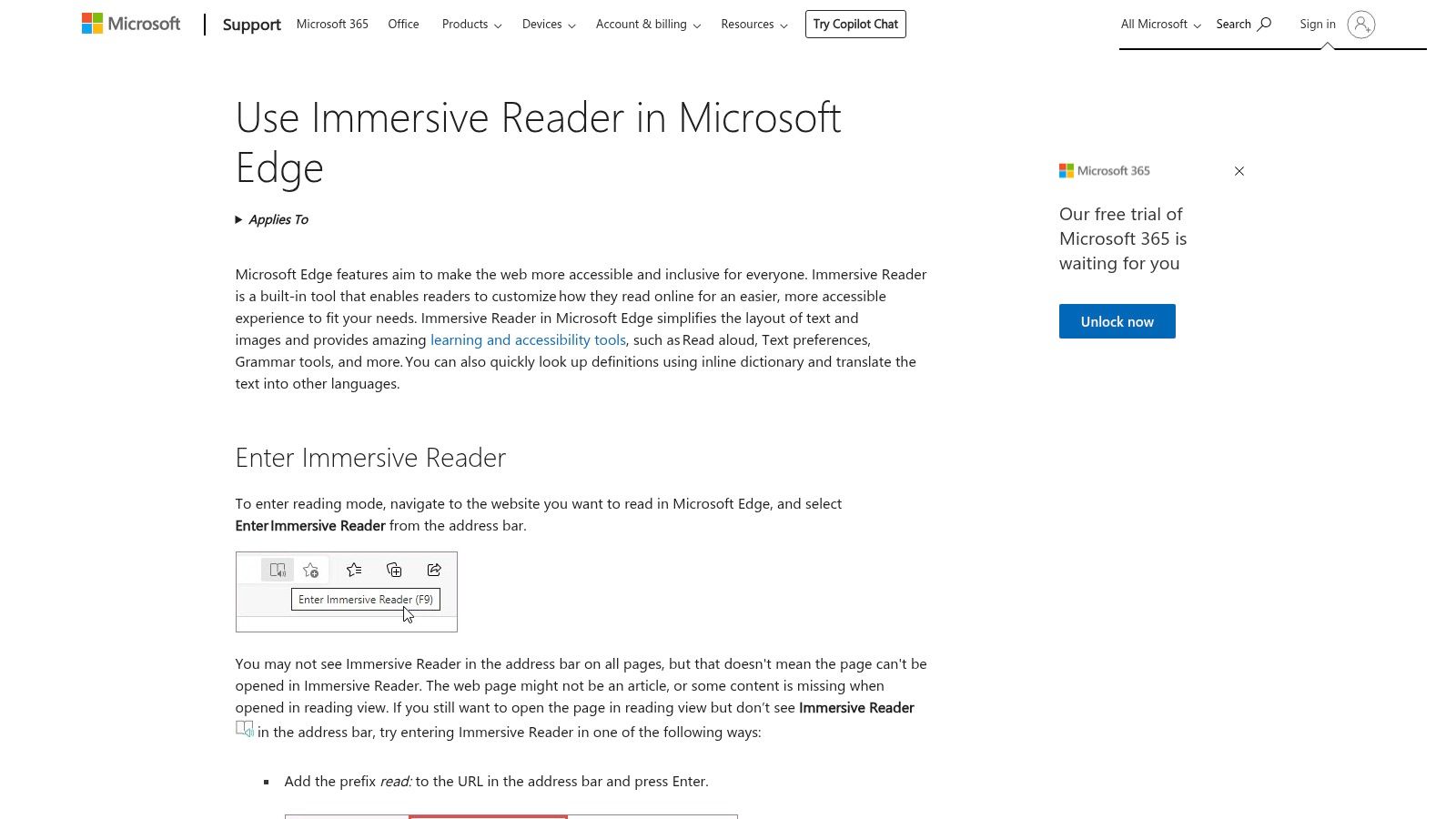
Microsoft Immersive Reader is a powerful, free tool built directly into Microsoft products like the Edge browser and Office 365 apps. It enhances the reading experience by simplifying page layouts, removing distractions, and providing customizable text options. Designed with accessibility in mind, it's an excellent built-in resource for anyone looking for a better dyslexia app reading experience without needing a separate download.
Key Considerations
What makes Immersive Reader so effective is its seamless integration. Users can activate it on web pages in Edge or within Word documents to instantly transform text into a more readable format. Its combination of text-to-speech with synchronized highlighting, line focus, and adjustable spacing makes it a versatile tool for improving focus and comprehension. As it’s part of the Microsoft ecosystem, it’s readily available on most school and work computers.
What Makes It Stand Out:
Integrated Accessibility: Available for free within Microsoft Edge, Word, OneNote, and Outlook.
Customizable Views: Adjust text size, spacing, page themes, and use line focus to reduce visual clutter.
Learning Tools: Features like a picture dictionary and grammar tools support vocabulary and comprehension.
A practical tip is to use Immersive Reader to process dense articles or long documents, allowing the read-aloud feature to assist with information retention. This approach can improve reading comprehension with text-to-speech and reduce cognitive load. For an even more robust solution on your mobile devices, Download Speak4Me free on iOS.
10. Nessy
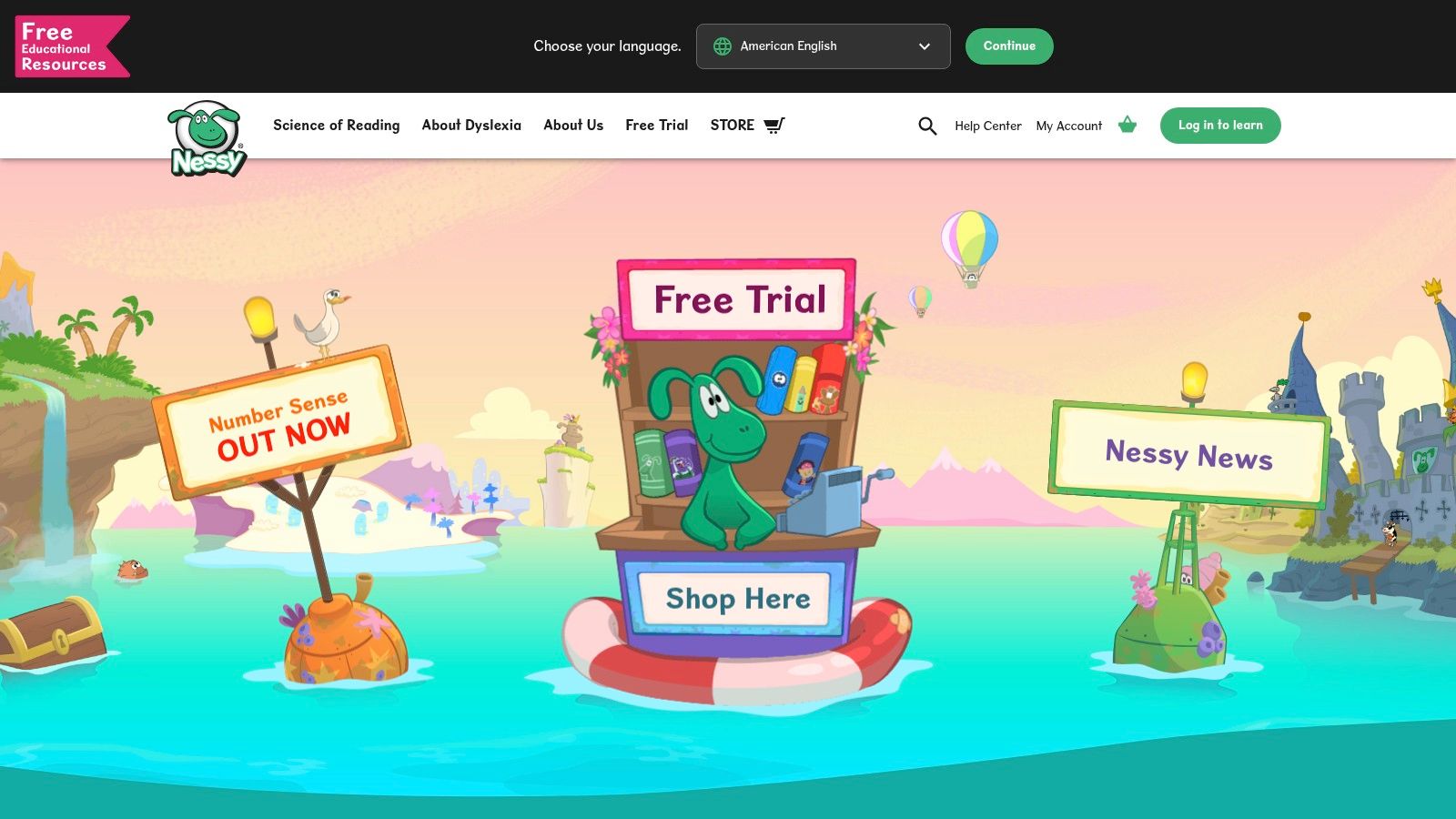
Nessy offers a structured, science-of-reading-based program designed to build foundational literacy skills in children aged 6–11. While not a traditional dyslexia app for reading existing texts, it provides a comprehensive learning environment with game-based lessons, decodable books, and progress tracking. Developed by specialists from the Bristol Dyslexia Centre, Nessy’s engaging approach helps early readers master phonics, spelling, and fluency.
Key Considerations
Nessy excels at making structured literacy fun and accessible through its gamified platform. The system includes assessments to identify specific learning gaps and tailors the curriculum accordingly, which is ideal for targeted intervention. With detailed reporting tools for parents and teachers, it’s easy to monitor progress and reinforce learning with printable practice materials. The platform offers a free trial, with paid subscriptions available for home or school use.
What Makes It Stand Out:
Evidence-Based Approach: Grounded in the science of reading and developed by dyslexia experts.
Gamified Learning: Uses engaging games and activities to teach phonics, reading, and spelling.
Progress Monitoring: Provides clear dashboards for parents and educators to track a child’s development.
For a comprehensive approach, parents can use Nessy to build foundational skills and then use a tool like Speak4Me to assist with reading other digital content. This combination supports both learning and practical application. Download Speak4Me free on iOS to get started.
Website: https://www.nessy.com/en-us
11. Dolphin EasyReader
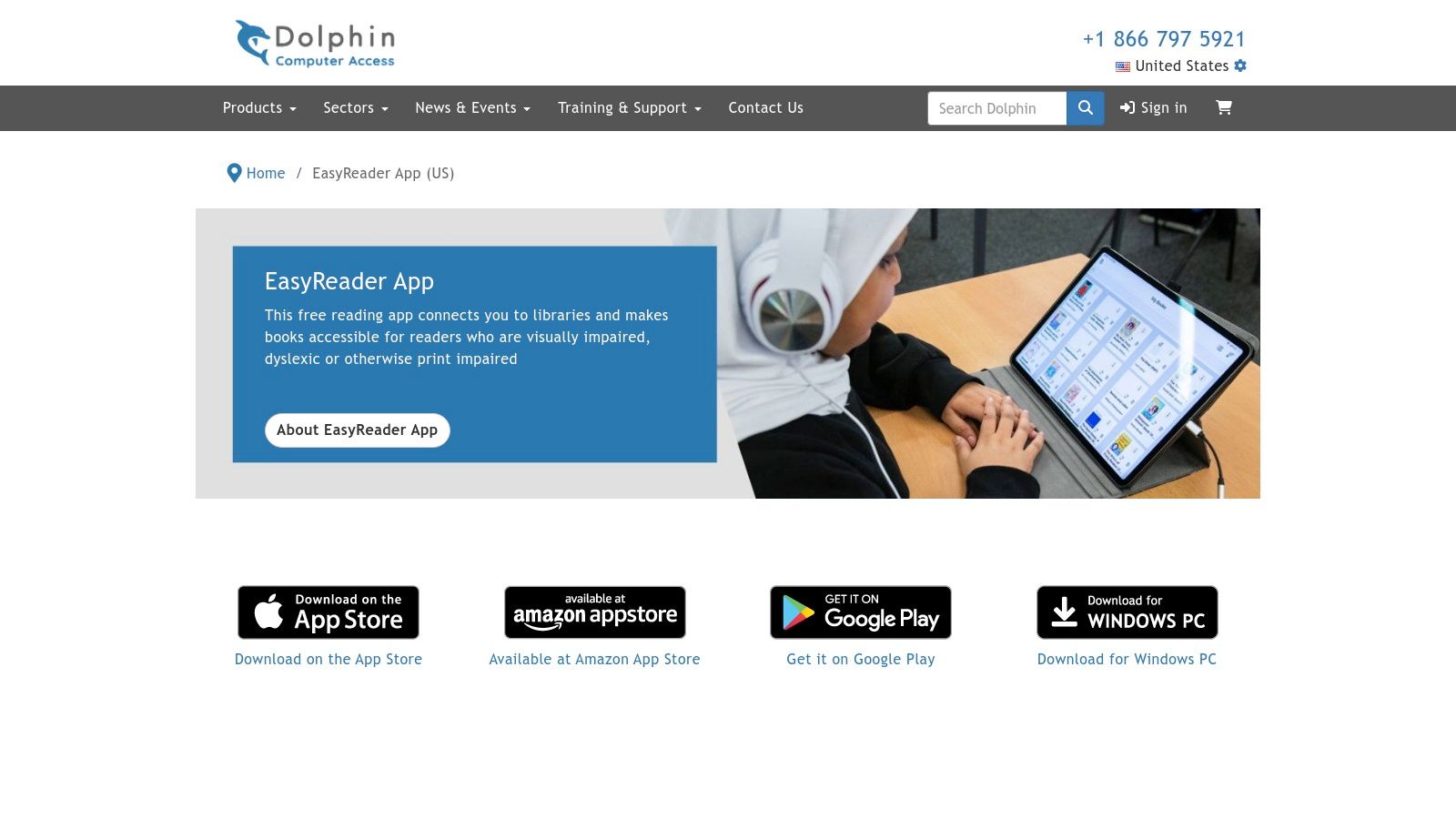
Dolphin EasyReader is a free and highly accessible dyslexia app reading solution designed to make digital text available to everyone. It directly integrates with popular accessible libraries like Bookshare, Project Gutenberg, and RNIB Bookshare, allowing users to browse and download books without leaving the app. It supports a wide range of formats and is built with features tailored to readers with dyslexia and visual impairments.
Key Considerations
The app’s strength lies in its deep customization options and broad library access, making it a powerful tool for both education and leisure. Users can adjust fonts, increase text size, change color schemes, and modify word and line spacing to create a personalized reading environment. The synchronized text-to-speech highlights words as they are read, which is a critical feature for improving reading comprehension and focus.
What Makes It Stand Out:
Direct Library Access: Seamlessly browse and download titles from major accessible book services within the app.
Dyslexia-Friendly Customization: Tailor fonts, colors, and spacing to suit individual reading needs.
Multi-Platform Support: Available for free on iOS, Android, and Windows, ensuring access on any device.
For an even more powerful reading experience, pair Dolphin EasyReader with a dedicated text-to-speech tool. Tools like Speak4Me can read any text aloud, complementing EasyReader's features for maximum accessibility. Download Speak4Me free on iOS to transform your digital reading.
Website: https://dolphinusa.com/EasyReader-App
12. Kurzweil 3000
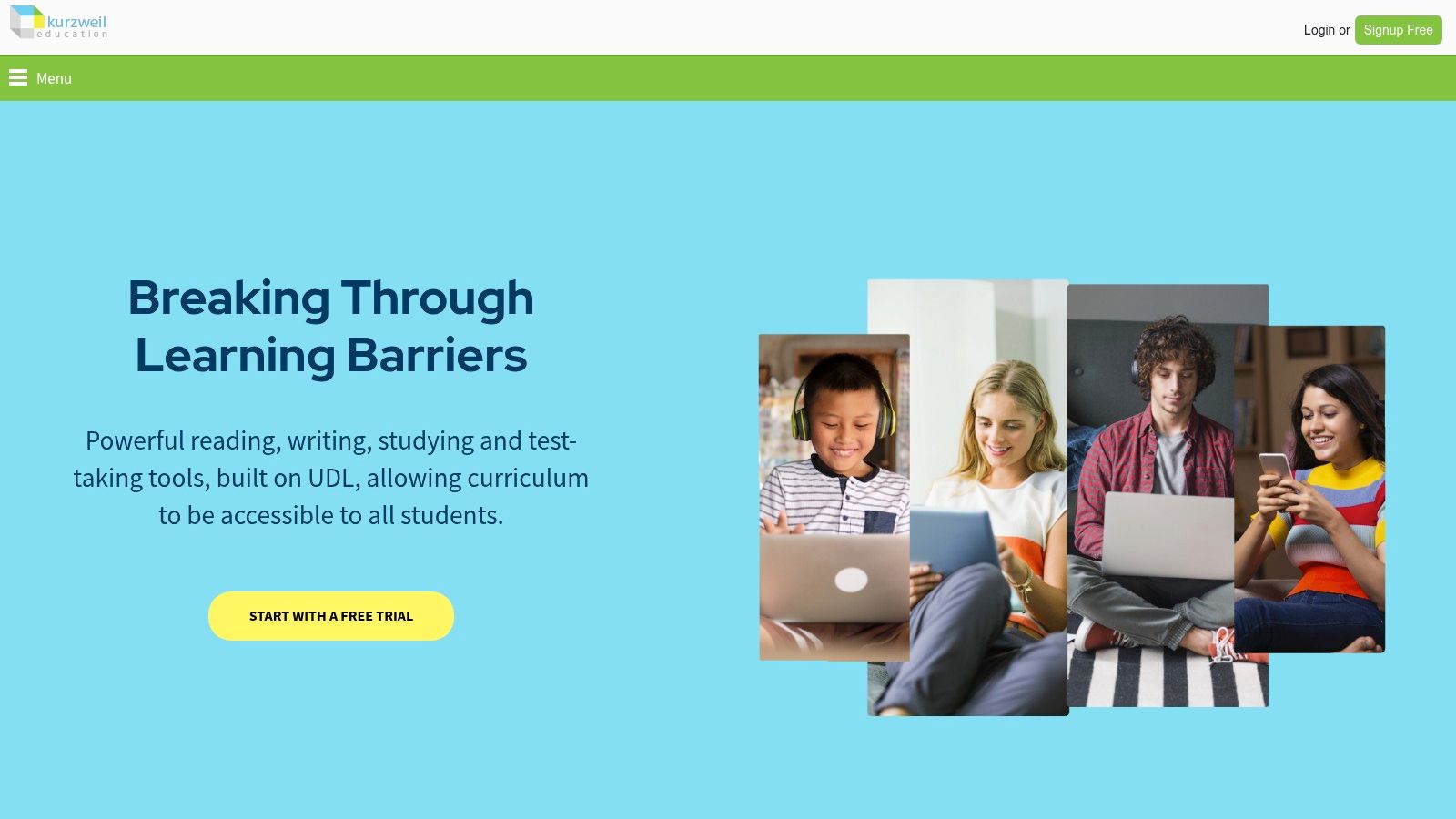
Kurzweil 3000 is a comprehensive literacy platform designed for Windows and Mac, offering robust support far beyond simple text-to-speech. It is a mature, full-featured tool used extensively in academic and professional settings to assist learners with reading, writing, and studying. Its advanced capabilities make it a powerful solution for those seeking an all-in-one dyslexia app reading and learning environment.
Key Considerations
This platform integrates powerful Optical Character Recognition (OCR) with extensive annotation tools like highlighters, sticky notes, and voice notes, allowing users to actively engage with academic texts. Its strength lies in its deep feature set, which supports complex institutional workflows and diverse file types. While the high upfront cost of a perpetual license makes it a significant investment, its long-standing reputation and ongoing development ensure it remains a top-tier assistive technology solution.
What Makes It Stand Out:
Comprehensive Toolset: Offers advanced study tools, writing support, and test-taking features.
Powerful OCR: Accurately converts scanned documents and images into readable, editable text.
Academic Integration: Built to support educational environments from K-12 to higher education.
For a more accessible and mobile-first approach to text-to-speech, download Speak4Me free on iOS.
Website: https://www.kurzweiledu.com
Top 12 Dyslexia Reading Apps Feature Comparison
Product | Core Features / Unique Selling Points ✨ | User Experience / Quality ★★★★☆ | Target Audience 👥 | Value / Pricing 💰 | Recommendation 🏆 |
|---|---|---|---|---|---|
Speak4Me | Converts all text types; ChatWithMe Q&A; 2x speed; Dyslexia & ADHD support | High-quality natural voices; seamless cloud integration | Students, educators, professionals, creators | Free for education; contact for pricing | 🏆 Recommended |
Apple App Store | Large dyslexia app catalog; family sharing; secure payments | Consistent app quality; well-curated | iOS/macOS users, dyslexia learners | Varies by app; trials vary | |
Google Play Store | Broad selection; read-aloud in Google Play Books; family library sharing | Wide device support; varied app quality | Android, Chromebook users | Varies by app; frequent promotions | |
Bookshare | 1M+ accessible ebooks; synced read-aloud; Alexa integration | Excellent accessibility; free for eligible students | Dyslexic readers, print-disabled users | Free for US students; adults pay annual fee | |
Learning Ally | Human narration; synced text/study tools; educator support | High-quality narration; strong educational focus | K-12 learners and educators | Membership plus proof of eligibility required | |
Voice Dream Reader | Wide file support; synced highlighting; offline high-quality voices | Customizable interface; reliable read-aloud | iOS/macOS users | Paid app; some features may become subscription | |
Speechify | 200+ voices; 60+ languages; AI summaries; multi-platform | Strong syncing; natural voices; easy onboarding | Dyslexia users, multitaskers | Premium subscription; trial with credit card | |
Texthelp Read&Write | Literacy suite with word prediction, dictionaries, masking | Broad functionality for diverse literacy needs | K-12, higher ed, educators | Free for educators; higher cost for individuals | |
Microsoft Immersive Reader | Free in Edge & Office; highlighting, grammar, translation | Integrated, free; platform-dependent features | Microsoft users, dyslexia learners | Free with Microsoft products | |
Nessy | Structured literacy; game-based; progress tracking | Engaging, evidence-based | Children 6–11, early readers | US pricing; free trial | |
Dolphin EasyReader | Bookshare integration; dyslexia fonts/colors; multi-format support | Free start; premium voices optional | Schools, individuals | Free basic; premium subscription for advanced features | |
Kurzweil 3000 | Advanced OCR; study tools; institutional integration | Deep toolset; mature platform | Learners with complex needs | High upfront cost |
Final Thoughts
Navigating the world of assistive technology can feel overwhelming, but finding the right tools for dyslexia app reading can be a transformative experience. Throughout this guide, we've explored a diverse range of applications, each offering unique strengths to support different reading challenges and learning styles. From comprehensive platforms like Kurzweil 3000 and Texthelp Read&Write to specialized library services like Bookshare and Learning Ally, the common thread is empowerment. These tools help level the playing field, making digital text accessible and manageable.
The key takeaway is that there is no single "best" app for everyone. The ideal solution depends entirely on individual needs, goals, and the context in which the tool will be used. A young student might thrive with the gamified approach of Nessy, while a university researcher may require the advanced features of Voice Dream Reader for handling academic papers. Similarly, professionals can benefit from tools that integrate seamlessly into their daily workflow, turning emails and reports into audible content. Download Speak4Me free on iOS to discover how an app can assist you.
How to Choose the Right Reading App
When making your decision, focus on a few critical factors. First, consider the primary use case. Are you reading for pleasure, studying dense textbooks, or managing workplace documents? Your answer will help narrow down the options significantly. For instance, if your main goal is converting physical book pages into audio, an app with a powerful OCR text-to-speech engine is essential.
Next, evaluate the user interface and customization options. A cluttered or confusing interface can create more frustration than it solves. Look for apps with adjustable fonts like OpenDyslexic, customizable color contrasts, and variable playback speeds. The ability to tailor the reading experience is a hallmark of effective dyslexia app reading software. Many of the tools listed, including Speak4Me and Dolphin EasyReader, offer free versions or trials, allowing you to test the user experience before committing.
Finally, consider platform and ecosystem integration. An app that works across all your devices-phone, tablet, and computer-provides a consistent and reliable experience. Think about how the tool will fit into your existing digital life. Does it need to integrate with cloud storage services like Google Drive or Dropbox? Does it work with the learning management systems used by your school? Answering these questions will ensure you select a tool that truly supports your reading journey, rather than adding another layer of complexity.
Ultimately, the goal of any dyslexia app reading tool is to reduce cognitive load and build confidence. By turning text into a multi-sensory experience, these apps open up a world of information and stories that might otherwise remain inaccessible. The right technology acts as a bridge, empowering users to engage with written content on their own terms and unlock their full potential.
Ready to transform your reading experience with a simple yet powerful tool? Speak4Me helps make digital text accessible by converting articles, documents, and web pages into clear, natural-sounding audio. It's an excellent starting point for anyone exploring the benefits of dyslexia app reading. Download Speak4Me free on iOS and hear the difference for yourself.
Try Speak4Me for Free
