12 Best Dyslexia Reading Apps for Learners in 2025
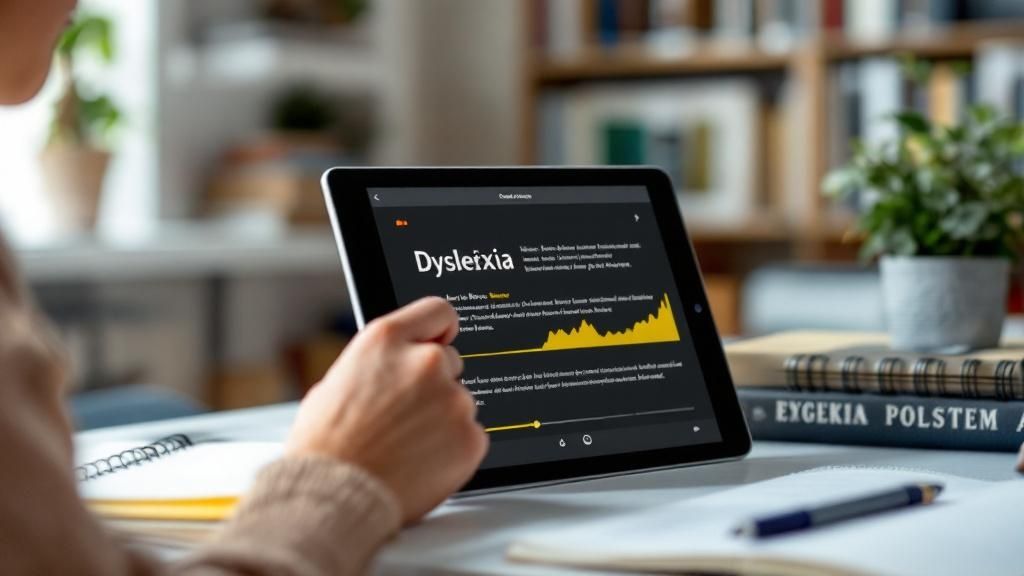
Navigating the world of reading can be challenging for individuals with dyslexia, but technology offers powerful tools to transform the experience. The right app can turn frustration into fluency, making text accessible, understandable, and even enjoyable. This guide explores the top dyslexia reading apps available today, moving beyond simple text-to-speech to highlight tools that offer comprehensive support.
We'll examine features like synchronized text highlighting, customizable fonts, and interactive learning modules that cater to different needs and learning styles. Many advanced dyslexia support apps leverage artificial intelligence to improve these reading experiences. To understand the broader impact of this technology, you can explore more about how AI productivity tools can enhance learning.
Whether you're a student, a professional, or a parent seeking resources, this list will provide practical insights with direct links and screenshots to help you choose the best digital companion for your reading journey. A great assistive tool not only reads text aloud but actively helps build comprehension and confidence. For instance, an app like Speak4Me is designed to support users by converting any text, from web pages to scanned documents, into clear audio.
Ready to find an app that can make a real difference? Let's explore the options that can help unlock a more positive and productive relationship with reading.
Download Speak4Me free on iOS and hear the difference.
1. Speak4Me
Speak4Me stands out as a powerful and comprehensive text-to-speech platform, making it a premier choice among dyslexia reading apps. It excels at converting a vast range of written materials, including PDFs, web articles, eBooks, and even scanned documents, into clear, natural-sounding audio. This core function allows users to engage with text auditorily, which can significantly improve comprehension and reduce the cognitive load associated with traditional reading.
Why It’s a Featured Choice
What elevates Speak4Me is its innovative ChatWithMe feature. This interactive tool allows you to "talk" to your documents. Users can ask questions about a text, request summaries, or clarify complex points, and the platform provides spoken answers. This dynamic interaction transforms passive listening into an active learning experience, helping to reinforce understanding and retention, a key benefit for learners with dyslexia.
The platform is designed with accessibility at its core. It seamlessly integrates with cloud services like Google Drive and Dropbox, making it simple to access and listen to your entire library of documents on the go. Furthermore, Speak4Me is offered completely free for schools and educational institutions, demonstrating a strong commitment to making learning accessible for all students. Learn more about how Speak4Me assists with dyslexia.
Best For: Students, educators, and professionals seeking a robust tool that merges text-to-speech with interactive learning.
Key Advantage: The ChatWithMe feature offers a unique, conversational way to engage with and understand complex texts.
Pricing: Free for educational institutions. For individual and business plans, you must contact their support for details.
Website: https://speak4me.io
Ready to transform your reading experience? Download Speak4Me free on iOS.
2. Apple App Store
For iOS users, the Apple App Store is the primary gateway to finding powerful dyslexia reading apps. It serves as a centralized, secure marketplace where you can discover, purchase, and manage specialized tools like Learning Ally, Bookshare Reader, and Voice Dream Reader all in one place. The platform’s strength lies in its tight integration with Apple's ecosystem, ensuring apps are optimized for iPhones and iPads and receive regular, hassle-free updates.
What makes it stand out is how it works with iOS-level accessibility features. Tools like Speak Screen and VoiceOver are built into the operating system and can enhance the functionality of almost any reading app you download, creating a more cohesive and supportive experience. User reviews and ratings offer valuable insights from other individuals with dyslexia, helping you choose the best fit before committing. While the platform is exclusive to Apple devices, its secure payment system and straightforward subscription management make it an essential resource. To find the best apps for you, including Speak4Me, start your search today. Download Speak4Me free on iOS.
Our Take: The App Store simplifies finding and managing dyslexia reading apps by providing a trusted environment with built-in accessibility features that enhance the tools you download.
Best For: Individuals and families invested in the Apple ecosystem looking for a secure, unified place to access and manage a wide range of vetted reading support tools.
Pricing: Free to browse; app prices vary from free to paid subscriptions.
3. Google Play Store
For Android users, the Google Play Store is the essential marketplace for discovering and downloading powerful dyslexia reading apps. It provides a vast, centralized hub for tools like Learning Ally, Bookshare Reader, and NaturalReader, making them accessible across a wide range of devices, including smartphones, tablets, and Chromebooks. The platform’s key advantage is its integration with the Android operating system, which allows apps to work alongside native accessibility functions.
What makes it stand out are the built-in Android accessibility features that enhance these specialized tools. Functions like Select-to-Speak and TalkBack are available system-wide and can be used to read text from almost any app, offering a seamless support layer. With a massive user base, the store’s review and rating system provides critical feedback from other users with dyslexia, helping you find the best dyslexia reading apps for your needs. While app quality can vary, Google Play’s easy installation, family sharing options, and straightforward subscription management make it an indispensable resource.
Our Take: The Google Play Store offers unparalleled flexibility and choice for Android users, combining a massive library of dyslexia reading apps with powerful, built-in system accessibility features.
Best For: Individuals and families using Android devices or Chromebooks who need a broad selection of reading support tools with flexible pricing and device compatibility.
Pricing: Free to browse; app prices vary from free to paid subscriptions.
4. Learning Ally
Learning Ally is a highly respected U.S. nonprofit that provides a massive library of human-narrated audiobooks with synchronized text. Specifically designed for learners with documented print disabilities like dyslexia, its apps are available across iOS, Android, and web platforms. The service focuses heavily on curriculum-aligned content, making it an invaluable resource for K-12 students who need accessible versions of their school textbooks and assigned reading materials.
What makes it stand out is its commitment to human narration, which provides a more engaging and natural listening experience than typical text-to-speech engines. This approach, combined with features like text highlighting and note-taking, helps improve reading comprehension and retention. While its focus on certified disabilities means access requires documentation, Learning Ally’s widespread adoption in schools and strong nonprofit reputation make it one of the most trusted dyslexia reading apps available for academic support.
Our Take: Learning Ally offers an unparalleled, curriculum-focused library of human-narrated audiobooks that provides essential academic support for students with documented print disabilities.
Best For: K-12 and college students with a documented print disability who need accessible, human-read versions of textbooks and literature for school.
Pricing: Requires membership, often provided through a school subscription. Individual memberships are also available with proof of disability.
Link: https://learningally.org
5. Bookshare
Bookshare is less of a single app and more of an essential service, providing the largest U.S. library of accessible ebooks for individuals with reading barriers. With over one million titles, it offers everything from bestsellers and textbooks to niche publications, all formatted for accessibility. This makes it an indispensable resource for students, professionals, and avid readers who need content that standard e-readers can't provide.
What makes Bookshare stand out among other dyslexia reading apps is its federal funding, which makes access completely free for qualifying K-12 and post-secondary students in the U.S. Members can read books using Bookshare's own app or integrate the library with powerful third-party tools like Voice Dream Reader. Books are delivered with synchronized text-to-speech audio and karaoke-style highlighting, transforming the reading experience. The main requirement is providing proof of a qualifying disability, such as dyslexia, to unlock access.
Our Take: Bookshare solves the biggest challenge for readers with dyslexia: finding accessible content. Its vast, free library for students makes it one of the most impactful resources available.
Best For: U.S. students of any age with a documented disability seeking free access to an enormous library of textbooks and leisure reading materials.
Pricing: Free for qualifying U.S. students and schools; paid subscriptions for non-student adults.
6. Voice Dream Reader
Voice Dream Reader is widely regarded as a top-tier text-to-speech app, particularly within the dyslexia community. It transforms documents, web pages, and eBooks into high-quality audio, allowing you to listen instead of read. Its power comes from its extensive customization, offering over 200 premium voices, synchronized word and line highlighting, and fine-tuned control over pronunciation and visual settings.
What sets it apart is its broad integration with essential services like Bookshare, Dropbox, Google Drive, and even Safari. This makes it one of the most versatile dyslexia reading apps for accessing academic PDFs, web articles, and personal documents. While its pricing has shifted to a subscription model, its robust feature set and offline playback capabilities make it an indispensable tool for many. For a comprehensive solution that integrates similar powerful features, consider trying Speak4Me. Download Speak4Me free on iOS to get started.
Our Take: Voice Dream Reader is a feature-rich, highly customizable text-to-speech powerhouse that excels at handling academic content and web articles for users with dyslexia.
Best For: Students and professionals who need a powerful, all-in-one reader for various file types and cloud services, with deep control over audio and visual settings.
Pricing: Subscription-based; check the App Store for current pricing.
7. NaturalReader
NaturalReader is a powerful, multi-platform text-to-speech tool that transforms written text from documents, PDFs, and web pages into spoken words. For individuals with dyslexia, it serves as an excellent resource for independent reading and proofreading, offering a wide selection of over 250 voices across more than 40 languages. Its availability as a web service, desktop application, and mobile app ensures that users can access reading support wherever they need it, from researching online to reviewing class notes.
What makes it stand out among other dyslexia reading apps is its versatility for both individual and institutional use. While the free version provides basic TTS functionality, the premium plans unlock high-quality AI voices and a Pronunciation Editor that lets you customize how specific words are read aloud, which is invaluable for technical or specialized content. Educational institutions can leverage group plans and site licensing, making it a scalable solution for entire classrooms or schools. While daily character limits on premium voices can be a constraint for heavy users, the platform’s cross-device accessibility and clear education-focused options make it a top contender. For an even more integrated experience on your phone, you can download Speak4Me free on iOS.
Our Take: NaturalReader is a highly flexible text-to-speech solution that works across all your devices, making it perfect for students and professionals who need consistent reading support on documents, websites, and more.
Best For: Students, educators, and professionals who need a versatile text-to-speech tool that syncs across web, desktop, and mobile devices for reading diverse content formats.
Pricing: Free basic version available; Premium plans start at $9.99/month, with education and commercial plans offered.
8. Texthelp Read&Write
Texthelp Read&Write is a comprehensive literacy support toolbar that integrates directly into the platforms students and professionals use every day, including Google Chrome, Windows, and macOS. Rather than a standalone app, it functions as an overlay, providing on-demand support for reading, writing, and studying across websites, documents, and applications. Its seamless integration makes it a staple in U.S. schools and a powerful tool for individuals.
What sets it apart is its focus on active learning support. Features like dual-color highlighting that follows text-to-speech, picture dictionaries, and vocabulary builders don't just read content aloud; they help users engage with it more deeply. While the interface can feel busy with its many features, this toolbar provides a robust set of accommodations that support both reading and writing, making it an excellent all-in-one solution. This is a great example of how text-to-speech apps can help people with dyslexia.
Our Take: Read&Write is less of a dedicated reading app and more of a universal accessibility toolbar, making digital content more manageable across your entire workflow.
Best For: Students in educational institutions that provide a license, and individuals who need consistent literacy support across multiple applications, not just within a single reader.
Pricing: Free for teachers. A free 30-day trial is available for premium features; individual and institutional plans vary.
Link: https://www.texthelp.com/products/read-and-write-education/
9. Kurzweil 3000
Kurzweil 3000 is a comprehensive literacy platform designed to provide deep academic support for individuals with dyslexia. It goes beyond simple text-to-speech by offering an integrated suite of tools for reading, writing, and studying. Available as a web-based service with desktop apps and a browser extension, it helps users tackle complex academic materials, from textbooks and articles to exams, with robust features like multilingual TTS, note-taking, and graphic organizers.
What makes it stand out is its focus on higher-level academic and professional workflows. Features like its test-taking mode, which provides a secure environment for assessments, and its advanced writing supports are specifically tailored for secondary and college-level learners. This makes it one of the most powerful dyslexia reading apps for students who need more than basic reading assistance. While its premium pricing is often geared toward institutional purchases, the depth of its study tools makes it an invaluable resource in educational settings.
Our Take: Kurzweil 3000 is an all-in-one academic powerhouse, offering advanced reading, writing, and study tools that empower older students with dyslexia to manage demanding coursework independently.
Best For: High school and college students, or professionals needing a deeply integrated suite of tools for reading, writing, and test preparation.
Pricing: Premium pricing; single-user licenses are approximately $735/year. Often purchased through educational institutions or resellers.
10. Microsoft Immersive Reader
Microsoft Immersive Reader is a powerful, free tool built directly into Microsoft Edge and other Office 365 applications like Word and OneNote. It de-clutters web pages and documents, presenting text in a clean, focused view designed to improve reading comprehension. For individuals with dyslexia, it eliminates distracting ads and complex layouts, allowing them to concentrate solely on the content without needing to download a separate dyslexia reading app.
What makes it stand out is its seamless integration and robust set of features available at no extra cost. Users can activate Read Aloud with synchronized highlighting, adjust text size and spacing, and even break words into syllables. Tools like Line Focus narrow the readable area to one, three, or five lines, while the picture dictionary and parts-of-speech highlighting offer contextual support. While not a comprehensive learning curriculum, it provides essential reading assistance directly within the tools many people use daily.
Our Take: Immersive Reader is a game-changing accessibility feature that embeds essential reading supports directly into everyday software, making digital content more accessible for everyone.
Best For: Students, professionals, and anyone using the Microsoft ecosystem who needs on-the-fly reading support for web pages and documents without installing a dedicated app.
Pricing: Free with Microsoft Edge and Office 365 subscriptions.
11. Nessy
Nessy offers a unique, game-based approach to structured literacy that is specifically designed for children with dyslexia. Instead of traditional drills, it uses engaging animations, games, and rewards to teach foundational reading and spelling skills based on the Orton-Gillingham method. The platform starts with the "Nessy Challenge," an initial assessment that identifies a child's specific difficulties and creates a customized learning path with over 100 targeted lessons.
What makes it stand out is its comprehensive ecosystem for both kids and parents. While children are playing games that reinforce phonics, morphology, and vocabulary, parents gain access to detailed progress reports and thousands of printable worksheets and card games. This blended approach helps bridge the gap between digital learning and offline practice. While tools like Nessy build core skills, combining them with a powerful text-to-speech app can help with daily reading tasks. For example, Speak4Me can read aloud digital text from any source, providing immediate auditory support that reinforces what children learn in their lessons. Download Speak4Me free on iOS to see how it can help.
Our Take: Nessy excels at making structured literacy fun and accessible for young learners with dyslexia, providing a strong foundation through a motivating, game-like environment.
Best For: Parents and educators of elementary-aged children (approx. 6–11) who need an engaging, Orton-Gillingham-aligned program to build core reading and spelling skills.
Pricing: Subscription-based, with Home Packs starting around $12/month.
12. Amazon Kindle
Amazon Kindle is more than just an e-reader; its app transforms nearly any device into a powerful tool for accessible reading. For individuals with dyslexia, Kindle offers a suite of built-in features that can significantly improve the reading experience without needing a separate, specialized app. With one of the largest digital book libraries in the world, it provides unparalleled access to content that can be adapted on the fly.
What makes it stand out is the integration of dyslexia-friendly features directly into the reading interface. On mobile apps, the Assistive Reader offers synchronized highlighting, while the Reading Ruler helps maintain focus line by line. Most importantly, the ability to switch to the OpenDyslexic font, adjust text size, and change background themes makes text far more approachable. Tools like Word Wise, which provides simple definitions for difficult words, further reduce cognitive load, making it a comprehensive solution among dyslexia reading apps.
Our Take: Kindle makes its massive ebook library accessible by embedding essential reading supports like the OpenDyslexic font and line-focus tools directly into its widely used app.
Best For: Readers of all ages who want access to a vast catalog of popular books with built-in, customizable reading accommodations on multiple devices.
Pricing: The app is free; book prices vary. Many accessible titles are available through Kindle Unlimited or public library integration.
Dyslexia Reading Apps Feature Comparison
Product | Core Features & Accessibility ✨ | User Experience & Quality ★★★★☆ | Value Proposition & Pricing 💰 | Target Audience 👥 | Unique Selling Points 🏆 |
|---|---|---|---|---|---|
🏆 Speak4Me | Converts PDFs, eBooks, scanned docs to natural speech; ChatWithMe Q&A; up to 2x speed | High-quality voices; multi-language; dyslexia & ADHD support | Free for educational institutions; pricing contact for others | Students, educators, professionals, content creators | ChatWithMe AI interaction; fast multi-text support; inclusive design |
Apple App Store | Curated dyslexia-friendly apps; system-wide accessibility | Smooth purchasing; latest app updates | Paid apps with subscription; family sharing available | iOS users; parents & educators | Centralized app ecosystem with OS-level accessibility |
Google Play Store | Wide Android device support; accessibility features like TalkBack | Variable app quality; frequent promotions | Mix of free & paid apps; flexible subscriptions | Android/Chromebook users | Broad device & pricing options; Google ecosystem integration |
Learning Ally | Human-narrated audiobooks aligned to curriculum; text highlighting | High-quality narration; multi-platform | Requires disability documentation; nonprofit pricing | K-12 students with print disabilities | Curriculum-focused audio with strong school adoption |
Bookshare | 1M+ accessible ebooks with TTS & highlighting | Large, instantly accessible catalog | Free for eligible U.S. students; paid adult membership | Readers with print disabilities | Extensive library; federal funding access for students |
Voice Dream Reader | 200+ voices offline; OCR via companion; cloud syncing | Premium voices; polished interface | Subscription model; legacy feature caveats | Dyslexic learners, educators, professionals | Rich feature set; extensive integrations; offline usage |
NaturalReader | 40+ languages, 250+ voices; pronunciation editor | Good cross-platform support | EDU plans available; premium features extra cost | Students, teams, individual users | Multi-platform; clear education pricing |
Texthelp Read&Write | Literacy toolbar with highlighting, vocab & word prediction | Supports reading & writing; busy UI | Teacher accounts free; individual trials | Schools, educators, students | Comprehensive literacy tools with LMS integration |
Kurzweil 3000 | All-in-one reading/writing supports; study & test tools | Feature-rich for advanced learners | Premium pricing (~$735/year); school licenses | Secondary, college students | Deep study workflows; test-taking features |
Microsoft Immersive Reader | Read aloud with highlighting; text focus; translation | Free with Edge/Office; limited voices | No extra cost | General users, students needing reading support | Built into popular Microsoft apps |
Nessy | Game-based reading/spelling for ages 6-11 | Engaging for kids; structured literacy | Paid program; strong parental resources | Elementary-aged children | Orton-Gillingham based; lessons + printable activities |
Amazon Kindle | Assistive Reader; dyslexia-friendly fonts & highlighting | Large ebook catalog; varied device support | Paid ebooks; free app | General readers, Kindle device users | Cross-device accessibility; adjustable fonts & line focus |
Empower Your Reading Journey Today
Navigating the world of text with dyslexia can present unique challenges, but as we've explored, the right digital tools can transform reading from a barrier into a gateway for learning and discovery. This guide has detailed a wide range of powerful dyslexia reading apps, each offering distinct features tailored to different needs. We've seen everything from comprehensive audio libraries like Learning Ally and Bookshare to integrated, system-wide tools like Microsoft’s Immersive Reader and Texthelp Read&Write.
The journey to finding the perfect app is a personal one. What works brilliantly for a K-12 student engaged with Nessy's gamified learning might not be the ideal solution for a busy professional who needs to process dense reports. The key takeaway is that you have options. Technology has created a remarkable ecosystem of support, ensuring that no one is left behind due to a reading difference. The power to choose is now in your hands.
How to Choose the Right App for You
Making the best choice requires a clear understanding of your goals. Before you commit to an app, consider the following factors:
Primary Use Case: Are you a student needing academic textbook support, a professional managing emails and documents, or someone looking for a more enjoyable leisure reading experience? Your primary need will guide you toward specialized tools like Kurzweil 3000 for academics or the Kindle app with its accessibility features for pleasure reading.
Platform and Device: Where do you do most of your reading? Ensure the app you choose is compatible with your preferred devices, whether that's an iPhone, an Android tablet, or a desktop computer. Some tools offer seamless cross-device syncing, which is crucial for users who switch between multiple platforms.
Specific Features Needed: Do you require high-quality text-to-speech voices, optical character recognition (OCR) for scanning physical documents, or interactive tools like highlighting and note-taking? Make a list of your must-have features to narrow down the options.
Putting Your New Tools into Practice
Once you've selected one or more dyslexia reading apps, the next step is integration. Start by using the app in low-pressure situations to get comfortable with its interface and features. Experiment with different voice speeds, fonts, and color contrasts to find the settings that best support your comprehension and reduce visual strain.
Remember that these tools are designed to assist you, not replace your skills. They are meant to reduce cognitive load, freeing up your mental energy to focus on understanding and engaging with the content. For a versatile, all-in-one solution that excels at turning nearly any text into spoken words, an app like Speak4Me can be a powerful addition to your toolkit. It supports a wide range of content, from articles and emails to PDFs, making it a practical choice for everyday use.
The most important step is the first one. Don't let another day pass feeling frustrated by text. The technology to unlock a more accessible and efficient reading experience is right at your fingertips. Take control of your reading journey today, explore the possibilities, and find the tools that empower you to succeed.
Ready to transform how you interact with text? Discover how Speak4Me can support your reading goals with its powerful text-to-speech technology. Turn any document, website, or image into clear audio and start listening today. Download Speak4Me free on iOS to begin your journey toward effortless reading.
Try Speak4Me for Free
