How to Get an App to Read Articles to Me
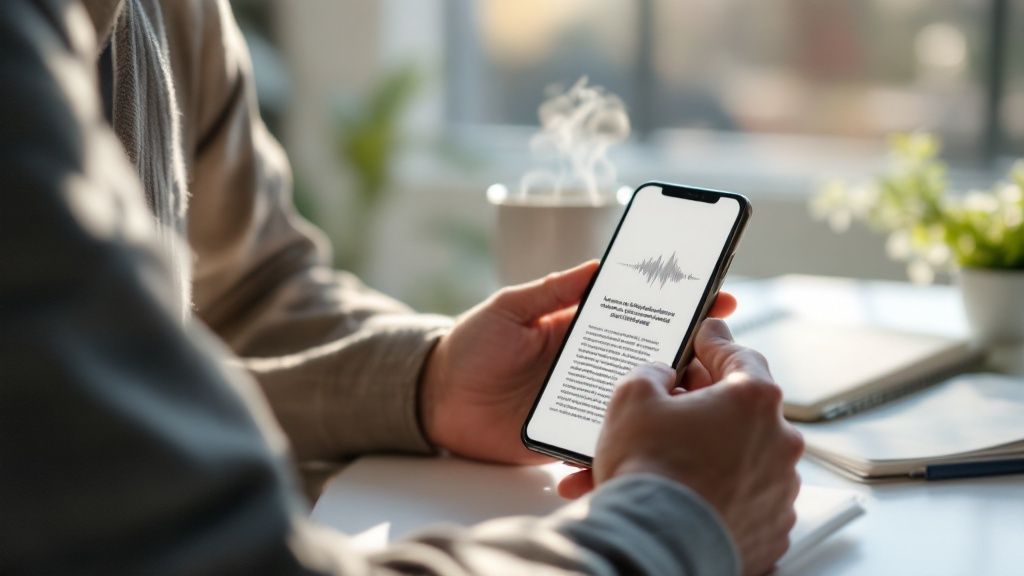
Let's be honest, finding the time to sit down and read everything on our "to-read" list feels impossible most days. The easiest way to actually get through those articles is to have them read to you, and a good text-to-speech (TTS) app is the perfect tool for the job. These apps take any written text—from news articles to dense research papers—and turn it into clear, natural-sounding audio you can listen to anywhere. Speak4Me assists you by turning any text into your personal audio library.
Why You Should Turn Your Reading List into a Podcast
Think about all those moments in your day that are otherwise dead time: your morning commute, a workout at the gym, or even when you're just cooking dinner. Now, imagine using that time to catch up on all the articles you've saved. This isn't about avoiding reading; it's about making valuable information fit into a life that's already packed.
When you turn your digital reading list into a personal podcast, you open up a whole new way to learn and stay informed. It helps you get through more material, caters to auditory learning styles, and frees you from having to stare at a screen. You can give your eyes a rest and still be productive, turning downtime into a chance to learn something new.

The Surge in Audio Content
The demand for hands-free information isn't just a niche interest; it's exploding. The global Text-to-Speech (TTS) market was valued around USD 4.55 billion in 2025 and is on a trajectory to hit an estimated USD 37.55 billion by 2032. This massive growth is a clear signal that TTS technology, powered by smarter AI, has become a core part of our daily routines, from our car's navigation to educational tools.
This shift is more than a fleeting trend. It represents a fundamental change in how we consume information. Listening provides a fantastic alternative to reading, especially for those who learn best by hearing or for anyone trying to squeeze more into their day.
By converting articles to audio, you're not just saving time—you're creating new opportunities for learning and personal growth in moments that were previously unproductive.
For example, that 30-minute train ride to work can become the perfect window to finally finish that industry report you've been putting off. A trip to the gym can double as a study session for an upcoming certification. It's all about making your time work for you. You can dive deeper into this with our guide on how to effectively read articles out loud.
To really understand the power of this approach, let's look at the specific advantages.
Why Listen to Articles? Key Benefits at a Glance
This table breaks down the main reasons why using an app like Speak4Me is such a game-changer for anyone with a long reading list.
Benefit | How Speak4Me Helps | Ideal Scenario |
|---|---|---|
Multitasking | Lets you listen to content while your hands and eyes are busy with other activities. | Listening to a market analysis report while driving to a client meeting. |
Productivity | Turns downtime (commuting, chores) into productive learning and information-gathering sessions. | Catching up on the latest tech news while folding laundry or cooking. |
Accessibility | Supports people with visual impairments or reading difficulties like dyslexia by making written content accessible. | A student with dyslexia listening to required reading materials for a course. |
Reduced Eye Strain | Gives your eyes a break from constant screen time, which can help reduce digital eye fatigue. | Listening to a long-form article after spending all day working on a computer. |
Learning Retention | Reinforces information for auditory learners who absorb and retain information better by hearing it. | Reviewing study notes by listening to them before a big exam. |
As you can see, the benefits go far beyond simple convenience. It’s a smarter way to manage your information intake in a world that’s constantly demanding your attention.
Ready to transform your phone into a personal reader and start listening to your favorite articles? The simplest way to begin is to Download Speak4Me free on iOS.
Start Listening in Under Five Minutes
Ever wish you could just listen to that long article instead of reading it? Turning text into audio might sound like a chore, but with Speak4Me, you can get it done in just a few taps. Seriously. Let's walk through how you can get the app to read articles to me and create your first audio playlist in less time than it takes to brew your morning coffee.
The whole point is to make this process fast and painless. You can pull content from almost anywhere—whether it's a website you're browsing or a file saved on your phone.
Your Three Paths to Audio Content
First things first, you need to get an article into the app. Speak4Me offers three main ways to do this, so you can pick whichever works best for you at the moment.
The Classic Copy-Paste: This is as direct as it gets. Just highlight the text from any article, email, or document, copy it, and paste it straight into the app. Done.
Share Directly from Your Browser: My personal favorite for on-the-fly listening. If you find an interesting article in Safari or Chrome, just hit the "Share" button, tap the Speak4Me icon, and the app grabs all the text for you. It's incredibly handy.
Upload a File: Have a PDF or Word doc you need to get through? You can easily import files from your iCloud, Google Drive, or Dropbox. This is a game-changer for reviewing reports or study materials on the go.
This simple flow shows you just how easy it is to get from text to high-quality audio.
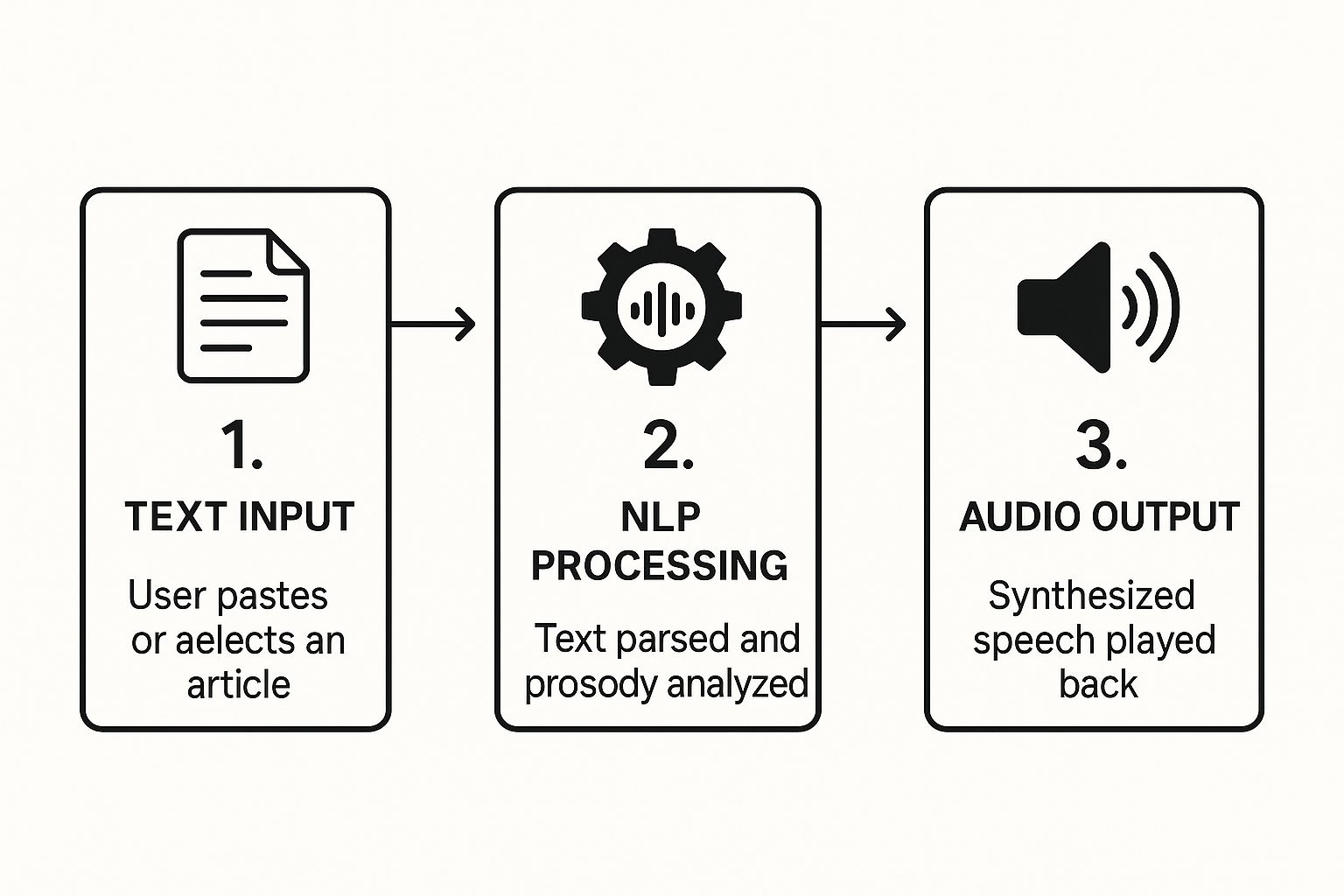
As you can see, it's really just a matter of getting your text in, letting the app work its magic, and hitting play.
Pro Tip: Don't limit yourself. Your listening library can be as varied as your interests. I often mix a long-form news piece with a technical blog post and a research paper—all queued up in a single playlist for my commute.
Building Your First Playlist
Once you've added a few articles, organizing them is the next step. You can create custom playlists for different situations, like "Morning Briefing" or "Weekend Long Reads." This keeps your content organized and ready to play whenever you have a free moment.
If you're curious about other tools out there, we put together a guide on the best apps to read text aloud that you might find helpful for comparison.
Ready to give it a shot? Download Speak4Me free on iOS and turn your first article into audio today.
How to Customize Your Listening Experience
Let's be honest, nothing kills the mood of an audio article faster than a generic, robotic voice. A good listening session should feel natural and comfortable. That's why Speak4Me gives you a ton of control, letting you dial in the audio so it sounds exactly the way you want it to.

It really all starts with the voice. You get a whole library of natural-sounding voices and languages to choose from, which is a world away from the old-school, monotone text-to-speech tools. We've put together a quick walkthrough on https://speak4me.io/discover/how-to-change-voices to help you find one that clicks with you.
Fine-Tuning Your Audio Settings
Once you've picked a voice, the next step is tweaking the playback itself. Getting these settings right can make a massive difference in how well you absorb the information.
Reading Speed: Are you trying to power through some light reading? Crank up the speed. Need to really soak in a dense, technical piece? Slow it right down. I've found that most people land on a speed just a bit faster than normal speech—around 1.25x is a great place to start.
Pitch and Volume: You can also fine-tune the pitch to whatever sounds best to your ear. And, of course, adjust the volume for clear listening, whether you're on a noisy train with headphones or just playing it through your car's speakers.
The real magic happens when you create a custom voice profile. It makes every article sound like it was recorded just for you, turning the app from a simple tool into a personal reading assistant.
If you really want to dive deep into customizing audio, it’s worth seeing what other tools offer. For instance, some people like to check out Speechify's unique voiceover features for even more options.
The best way to find your perfect setup is just to play around with these settings. Ready to find your ideal voice and speed? You can Download Speak4Me free on iOS and start exploring all the customization features right now.
Productivity Tips for Power Listeners
Once you get past the novelty of having an app read articles to me, you can start tapping into some real productivity boosts. The trick is to treat your listening library like a curated knowledge base, not just a random list of articles. When you do that, Speak4Me becomes more than a simple reader—it becomes a serious information management tool. It’s all about making the content fit your workflow.
For instance, resist the urge to just dump everything into one long queue. Instead, create specific playlists that match what you're trying to accomplish. I personally have a ‘Work Research’ playlist for deep dives into industry reports and a separate ‘Morning News’ one for my commute. This small habit makes a huge difference, ensuring I’m always hearing the right thing at the right time.
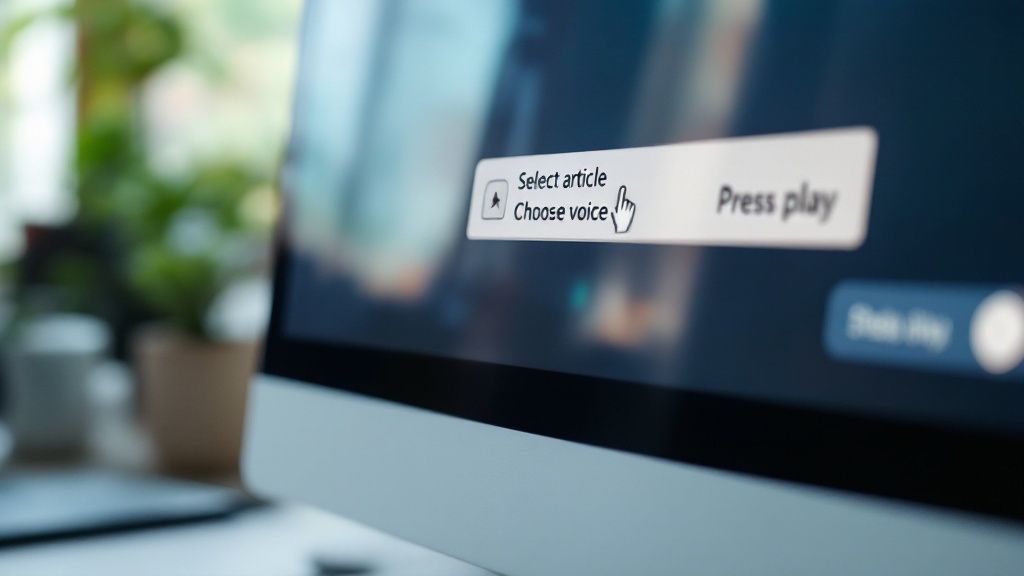
Reinforce Learning and Listen Anywhere
If you really want to absorb complex information, the text highlighting feature is a game-changer. It syncs the on-screen text with the spoken words, so you can follow along as the voice reads. This combination of seeing and hearing at the same time is a proven way to improve focus and hang onto what you’ve learned.
Another must-use feature for anyone on the go is offline listening. Before a flight or a trip on the subway, I always make sure to save a few key articles. This lets me turn that disconnected downtime into productive time without having to hunt for a signal.
The real power of listening comes from integrating it seamlessly into your life. With offline access and organized playlists, you can turn previously unproductive moments into valuable learning opportunities.
The demand for this kind of accessible, hands-free technology is only getting bigger. We're seeing Text-to-Speech (TTS) adoption explode in areas like the automotive industry and assistive tech, where safety and accessibility are critical. In fact, regulations like the Americans with Disabilities Act (ADA) have pushed the need for voice-enabled content, making TTS a key tool for both convenience and compliance. You can dig into more details about the TTS market's growth on Mordor Intelligence.
Ready to build a smarter workflow with these features? Download Speak4Me free on iOS and start organizing your personal audio library today.
Weaving Audio into Your Daily Life
The real magic happens when an app that reads articles to you becomes second nature. It’s all about weaving it into the fabric of your day, turning those little pockets of dead time into moments where you're actually learning something useful.
Think about your morning commute. It's a prime opportunity. Instead of mindlessly scrolling, you could be absorbing the day's top news or getting fresh insights from your industry. Just create a "Morning Briefing" playlist in Speak4Me, and by the time you walk into the office, you're already ahead of the game.
Turn Idle Time into Insight Time
You can apply this same idea to just about any part of your day.
If you're into fitness, your time at the gym can suddenly become a lot more productive. Queue up a few articles on health, self-improvement, or professional development. That hour on the elliptical now serves double duty—you're working on your body and your brain.
For students, this is a game-changer. Imagine reviewing dense research papers or lecture notes while walking to class or folding laundry. It transforms passive time into active study, helping those key concepts stick without you being chained to a desk.
The trick is to create simple associations: Commute = news. Gym = industry trends. Chores = study review. This little hack helps build a powerful and consistent learning habit almost effortlessly.
The appetite for tools like this is exploding. The Text-to-Speech market is already valued at around USD 4.0 billion, and it's on track to hit nearly USD 7.6 billion by 2029. We all want smarter ways to multitask and get information on the move. You can dig into more details about this expanding market on marketsandmarkets.com.
Ready to make your own routine a little smarter? Download Speak4Me free on iOS and start turning your downtime into your advantage.
Common Questions About Reading Articles Aloud
Even with a simple app, you'll probably have a few questions about getting the best experience when you want an app to read articles to me. Let's walk through a few common queries I hear all the time. This should help you get Speak4Me running smoothly and make it a natural part of your day.
The biggest question is almost always about where the articles can come from. Can you listen to content from any website or app? The answer is a definite yes.
Speak4Me was built to be as flexible as possible. Just use the 'Share' feature you already know on your iPhone. When you find an article in your browser or a news app, just tap 'Share,' pick Speak4Me from the list, and you're set. The app grabs the text and has it ready to play in just a few seconds.
Can I Use It Offline?
You bet. This is probably one of the most useful features, especially for commuters or frequent travelers. Once you've added an article to your playlist, it’s saved right on your device for offline listening.
This is a total game-changer for flights, subway rides, or anywhere with spotty internet. Just load up your queue before you leave the house, and you'll have hours of listening material ready to go.
What Kinds of Voices Are Available?
You'll find a whole library of high-quality, natural-sounding voices, not just a single robotic one. We've included a ton of options across different languages and accents.
The goal is to give you a voice that you actually enjoy listening to. You can pick from:
Different genders
A variety of regional accents
Customizable speaking speeds and pitches
My advice? Spend a few minutes playing around in the voice settings. Find one that clicks for you—it makes a huge difference in the listening experience. While our app focuses on text-to-speech, it’s interesting to see the other side of the coin, like how AI handles spoken language for transcription.
Ready to stop reading and start listening? Speak4Me makes it easy to turn any article into audio. Download Speak4Me free on iOS and transform your content consumption today.
Try Speak4Me for Free
