A Guide to Text to Speech Technology
At its most basic, text to speech technology is like having a personal reader in your pocket. It’s the magic that turns the written words on your screen into spoken audio, bridging the gap between what you see and what you can hear. This simple but powerful idea opens up a whole new way to consume information, freeing you from being glued to a screen.
What Is Text to Speech Technology?
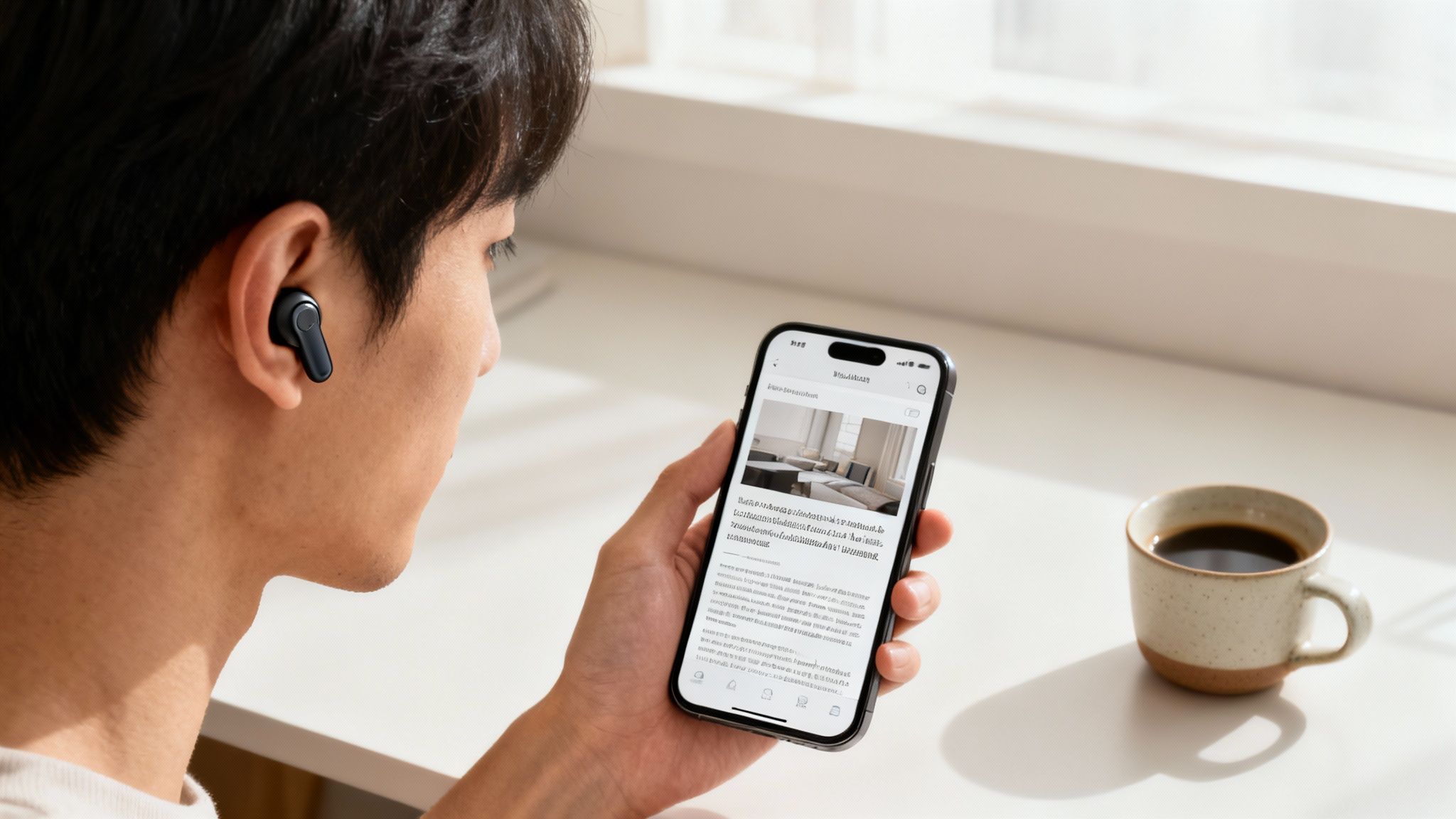
You’ve probably heard it called TTS, but what is it, really? Text to speech is a type of assistive technology that takes written text and synthesizes it into a human-sounding voice. The process involves breaking down sentences into their core sounds (phonemes) and then intelligently piecing them back together to form natural words and phrases.
The goal here is two-fold: boost accessibility and add a layer of pure convenience. For someone with a visual impairment or a reading difficulty like dyslexia, TTS is an essential tool that supports access to information. It unlocks digital documents, websites, and books that might otherwise be out of reach. For the rest of us—busy professionals, students, parents—it’s a massive productivity booster.
Making Information Universally Accessible
The true mission of text to speech technology is to tear down the barriers that keep people from information. Let's face it, not everyone can, or even wants to, read text off a screen all day. TTS offers a flexible alternative that works for different needs and learning styles.
To get a better sense of how this technology works in the real world, let's look at its core functions.
Core Functions of Text to Speech Technology
The table below breaks down the primary capabilities that make modern TTS systems so effective.
Function | Description |
|---|---|
Aids in Learning | Reinforces reading comprehension by engaging your auditory senses alongside your visual ones. |
Supports Mult Multitasking | Lets you listen to reports on your commute, catch up on articles at the gym, or follow a recipe hands-free. |
Assists with Proofreading | Helps you catch awkward phrasing and typos by hearing your own writing read back to you—a surprisingly effective trick. |
These capabilities show that TTS is far more than just a simple "read-aloud" feature; it’s a versatile tool for both accessibility and productivity.
The days of clunky, robotic voices are long gone. Today's systems use sophisticated AI to produce narration that is remarkably clear and lifelike, making it a genuinely enjoyable experience. Want to hear it for yourself? Download Speak4Me free on iOS and turn your first article into audio.
A Rapidly Growing Field
The surging popularity of this technology is clear when you look at the numbers. The global Text-to-Speech market was valued at around USD 4.0 billion in 2024 and is expected to hit USD 7.6 billion by 2029. This isn't just a niche tool anymore; it’s becoming a standard feature in everything from our smart speakers to educational software. For a deeper dive, you can find more detailed market analysis on MarketsandMarkets.
By converting text into spoken words, TTS technology makes digital content more inclusive and adaptable to the demands of a mobile, fast-paced world. It’s not just about reading—it’s about providing information in the format that works best for you, whenever you need it.
Ready to see how easily this can fit into your routine? Experience the convenience firsthand. Download Speak4Me free on iOS to start listening to your content today.
How AI Turns Written Words into Lifelike Voices
Have you ever wondered how your phone can read an article out loud and sound almost like a real person? It’s not magic. It’s a smart, two-part process powered by artificial intelligence, which is the engine behind modern text to speech technology. This system is what turns plain text into the smooth, natural-sounding audio we hear in today’s best apps.
You can think of it like a skilled musician reading a new piece of sheet music. Before they even play a note, they scan the entire composition—looking at the tempo, the key, the dynamics, and the pauses. Only after understanding the full picture do they translate those symbols into a beautiful performance. AI-powered text to speech works in a very similar way.
Let’s break down the two key stages that make this all happen.
Stage One: Making Sense of the Text
The first step is all about text analysis. Here, the AI acts like a voice actor preparing for a recording session. It doesn't just see a string of words; it reads through the entire text to understand its structure, meaning, and context. This is where the system figures out all the subtle cues that separate human speech from a robotic voice.
This initial phase, sometimes called text normalization or preprocessing, tackles a few critical jobs:
Reading Punctuation: The AI learns that a period means a full stop, a comma signals a brief pause, and a question mark completely changes the tone of a sentence.
Understanding Context: It figures out how to pronounce words that look the same but sound different. For example, it knows the difference between reading a book ("reed") and having read a book ("red").
Expanding Abbreviations: The AI understands that "Dr." should be spoken as "Doctor" and that "St." might mean "Saint" or "Street," depending on the words around it.
This analytical work lays the foundation for everything that follows. Without it, the final audio would be a choppy and confusing mess. By figuring out the text's real meaning first, the AI gets ready to deliver a clear and believable performance. If you want to get into the nitty-gritty, you can learn more about how to get natural-sounding text to speech and what makes it work so well.
The goal of text analysis is to turn ambiguous text into a precise phonetic script. The AI essentially creates a detailed "performance guide" that tells the speech synthesizer exactly how to say each word, where to pause, and what tone to use.
Stage Two: Generating the Voice
Once the analysis is done, the second stage kicks in: speech synthesis. This is where the AI takes that phonetic script and generates the actual audio sound waves. Think of it as the musician finally picking up their instrument and playing the music, turning silent notes into audible sound.
Modern TTS systems use sophisticated AI models, usually neural networks, to pull this off. Older, more robotic systems used to just stitch together pre-recorded word fragments. Today's neural models, however, generate the voice from the ground up. They're trained on huge datasets of human speech, which allows them to learn the subtle patterns of rhythm, pitch, and intonation that make a voice sound human.
This approach creates incredibly high-quality and flexible results. For a great example of this technology in action, you can check out specialized AI voice generators for YouTube. The end product is a voice that can sound conversational, serious, or even emotional, all based on the original text.
This two-step process is what allows an app like Speak4Me to deliver such a high-quality, lifelike listening experience. It’s not just reading words—it’s interpreting and performing them. Hear the difference for yourself. Download Speak4Me free on iOS and turn any article into clear, natural audio.
The Journey from Robotic to Realistic Speech
Text to speech technology didn't just appear overnight sounding as human as it does today. If you've ever heard one of those old-school, clunky computer voices, you know exactly what I'm talking about. The journey from that robotic drone to today's incredibly clear AI narration is a story of massive technological leaps.
Those early systems relied on a method called concatenative synthesis. Think of it like a ransom note made from clipped-out magazine words. The system would literally string together pre-recorded snippets of sound—phonemes, syllables, or whole words—to build sentences. It worked, but just barely. The result was often disjointed and lacked the natural rhythm and flow of human conversation.
The biggest problem was that this method couldn't grasp the subtleties of language. It had a tough time figuring out the right inflection for a question versus a statement, and the cadence always felt just a little… off. You could tell it was just piecing sounds together, not actually understanding the text.
The Leap to Neural Synthesis
The real game-changer was the arrival of artificial intelligence and machine learning. This ushered in a completely new approach: neural text to speech (neural TTS). Instead of just gluing sound clips together, neural TTS models learn to speak from scratch, almost like a person does.
These sophisticated systems are trained on enormous libraries of human speech, often thousands of hours' worth. By poring over this data, the AI learns the complex patterns of intonation, pacing, and emotional nuance that make a voice sound truly authentic. It isn't just mimicking sounds; it's generating brand-new speech based on its deep understanding of the text.
This is the key difference: we went from assembling pre-recorded sounds to generating new, unique speech. The AI evolved from a sound assembler into a digital voice actor.
This is precisely why modern TTS can tackle complex sentences, convey subtle tones, and create a listening experience that's actually enjoyable.
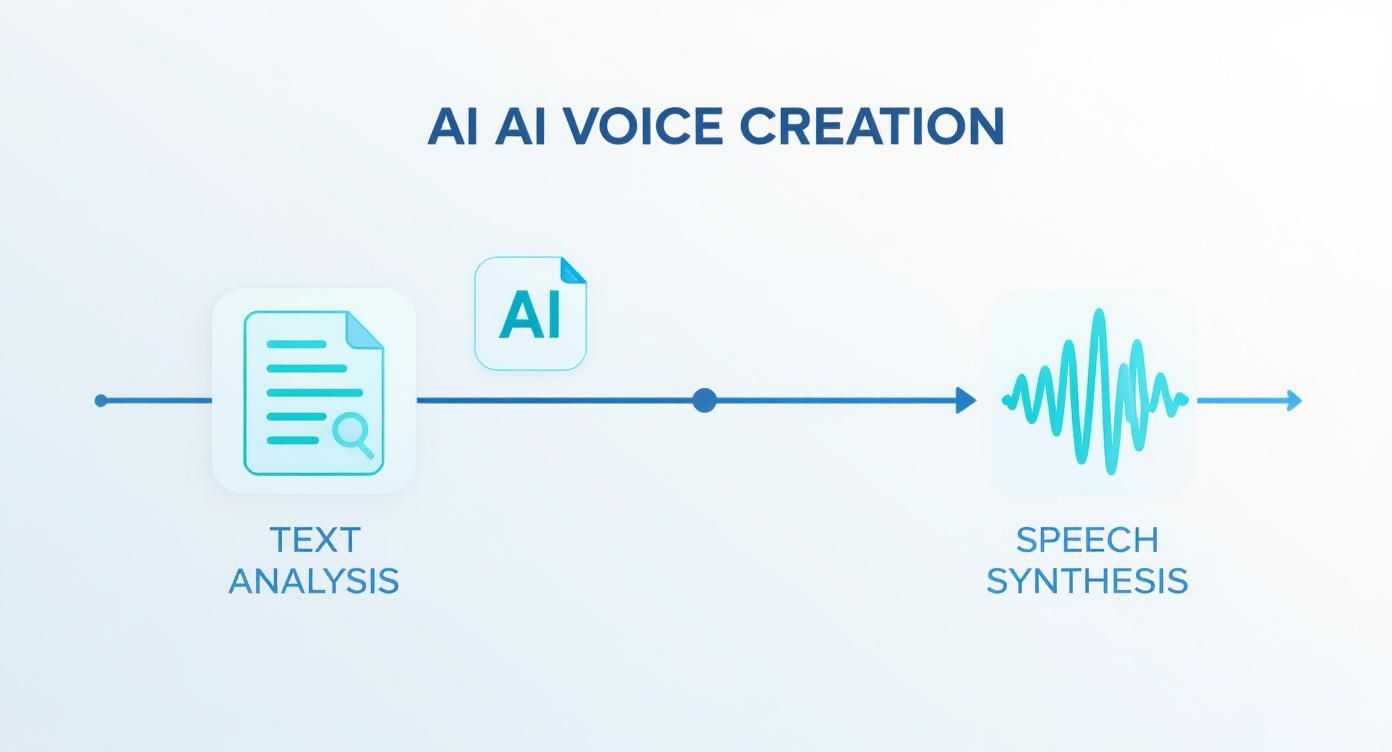
The infographic above breaks down the two core stages—text analysis and speech synthesis—that work in harmony to turn words on a page into high-quality audio. This evolution hasn't just made for a better product; it has also ignited massive growth across the industry.
Market Growth Reflects Technological Maturity
This shift from basic synthesis to advanced neural networks has had a huge economic impact. As these modern solutions started to take over, the global TTS market was valued at around USD 2.2 billion in 2022.
It kept climbing, hitting an estimated USD 2.5 billion in 2023, pushed forward by the boom in mobile and cloud-based apps. And it's not slowing down. Projections show the market is on track to reach about USD 6.7 billion by 2032. You can find more details in this text-to-speech market report from Market Research Future.
This growth tells a story of a technology that has truly come of age. The advanced systems available today, like the one inside Speak4Me, are the culmination of this evolution. They deliver clear, natural-sounding voices that make listening to articles, documents, and books a genuinely seamless and pleasant experience.
Don't just take my word for it—hear the results of this incredible journey for yourself. Download Speak4Me free on iOS and start turning your reading into high-quality audio today.
Real-World Benefits of Listening to Your Content
Beyond the impressive science, the real magic of text to speech technology is what it does for you in the real world. We're talking about solving everyday problems and opening up new possibilities. It's not just a cool feature on your phone—it’s a genuinely practical tool that can change how you get through your day, making you more productive, content more accessible, and even learning a little easier.
Think about all that "dead time" in your day. Your commute, your workout, the time you spend doing chores. What if you could reclaim it? That's what TTS lets you do. It turns those moments into productive listening sessions.
Boost Your Daily Productivity
Let's be honest, we're all juggling a million things at once. Multitasking isn't a buzzword; it's a survival skill. Text to speech acts like your personal reader, getting through content for you while your hands and eyes are busy elsewhere.
Here’s how that plays out:
During Your Commute: A traffic jam can become your new library. You can finally get through that long industry report you’ve been putting off.
At the Gym: Catch up on important work emails or listen to the morning news articles while you’re on the treadmill. No more squinting at your phone between sets.
While Cooking or Cleaning: Ever tried to follow a recipe while your hands are covered in flour? Now you can have it read to you, or listen to a chapter of an eBook without stopping what you're doing.
The ability to listen to information frees you from the screen. It's a simple, powerful way to stay on top of your to-do list without having to pause your life.
A Powerful Tool for Accessibility
One of the most important roles of text to speech technology is making the digital world more inclusive. For millions of people, reading text on a screen isn't just an inconvenience—it's a real barrier. TTS technology literally gives a voice to the written word, making sure everyone gets equal access to information.
For someone with a visual impairment, TTS is essential. It converts websites, documents, and messages into clear audio they can easily understand.
It's also a game-changer for people with reading difficulties like dyslexia. Hearing words spoken aloud while seeing them on the page can dramatically improve comprehension and build confidence. By offering another way to engage with text, TTS levels the playing field, making education and work more manageable.
By turning text into speech, this technology removes obstacles and empowers users to engage with content on their own terms. It’s a foundational piece of digital accessibility that supports independent learning and engagement for a diverse range of users.
Enhance Your Learning and Retention
Have you ever read a page from a book, only to get to the bottom and realize you have no idea what you just read? It happens to all of us. Text to speech technology can actually help with that.
When you engage multiple senses at once—in this case, sight and hearing—you can seriously boost your focus and remember more of what you consume. This idea is called dual-coding, and it's based on the fact that our brains create stronger memories when information comes in through both visual and auditory channels.
Listening to text as you read along helps you build stronger neural pathways, making it easier to recall the information later. This is incredibly helpful for students studying for an exam, professionals trying to learn new skills, or anyone who just wants to learn more effectively. You can dive deeper into this by exploring the benefits of reading books aloud with text to speech.
This multi-sensory trick isn't just for studying, either. It’s fantastic for proofreading. Hearing your own writing read back to you is a surprisingly effective way to catch awkward phrasing, typos, and other mistakes your eyes might have glossed over.
Text to Speech Technology Applications
TTS isn't just one-size-fits-all; it's a flexible tool that addresses different needs across various fields. The table below highlights how it's being used to solve specific problems in different domains.
Domain | Primary Use Case | Key Benefit |
|---|---|---|
Education | Assisting students with reading disabilities like dyslexia. | Improves reading comprehension and builds confidence. |
Corporate | Reading training materials and reports to employees. | Enables multitasking and on-the-go learning. |
Publishing | Creating audio versions of articles, blogs, and books. | Expands audience reach and content accessibility. |
Personal Use | Listening to emails, news, and documents during commutes. | Maximizes productivity by reclaiming "dead time." |
From the classroom to the boardroom, the core idea is the same: turning text into audio makes information more accessible and convenient for everyone.
Ready to see how it works for you? You can start turning your own articles, documents, and emails into audio right now. Download Speak4Me free on iOS and unlock a more productive and accessible way to get through your day.
How to Use Text to Speech in Your Daily Life

It’s one thing to understand what text to speech technology can do, but it’s another thing entirely to weave it into your day-to-day routine. This isn't just a niche tool for specific industries; it's a practical solution for real, everyday challenges, whether you’re trying to save time or just make information easier to digest.
Think about turning that dense news article you've been meaning to read into a personal podcast for your morning walk. Or imagine having a complicated recipe read out loud while your hands are covered in flour. These aren't far-off ideas—they're simple, practical ways you can start using TTS today to make life a little bit easier.
Transform Your Commute and Chores
One of the best ways to get started is by reclaiming all that "dead time" in your day. Your daily commute, your session at the gym, or the time you spend on household chores can suddenly become opportunities to learn and catch up. Instead of just listening to the same old playlist, you can actually consume content that matters to you.
Here are a few ideas to get you going:
Listen to Morning Newsletters: Turn your favorite email newsletters or news briefings into a quick audio digest to listen to while you get your coffee ready.
Catch Up on Work Documents: Have long reports or research papers read to you during your drive, so you can walk into the office already up to speed.
Absorb Educational Articles: Queue up a few articles related to your field or a hobby and listen while you're on the treadmill or walking the dog.
This lets you stay informed and productive without having to find extra time in your day to sit down and read.
By converting text-based tasks into listening experiences, you effectively add more productive hours to your day. It’s about working smarter, not harder, by letting technology handle the reading for you.
Proofread Your Own Writing with Fresh Ears
Here’s another incredibly practical use for TTS: proofreading. After you've been staring at a document for hours, your brain starts to fill in the blanks and autocorrect mistakes on the screen. It becomes ridiculously easy to miss typos, grammatical errors, or just plain awkward phrasing.
When you hear your own words read back to you, it’s a completely different experience. Your ears will catch clumsy sentences and mistakes that your eyes glazed right over. This is a trick professional writers and editors have used for years because it’s so effective for polishing any piece of writing, from an important email to a final paper for school. Just paste your text, press play, and listen for anything that sounds off.
The growing demand for versatile tools like this is driving some serious market growth. Market analysis projects that from an estimated USD 3.45 billion in 2024, the TTS market will surge to an estimated valuation of USD 28.02 billion by 2034. This explosion shows just how vital personalized voice communication is becoming in our daily lives. You can dive deeper into these numbers in the full text-to-speech market report from Expert Market Research.
All of these scenarios are exactly what modern tools are built for. Speak4Me was designed to fit right into your existing routine, making it the perfect way to get started.
Ready to turn your first article into audio? Download Speak4Me free on iOS and see for yourself how simple it is to listen to your world.
Ready to Start Listening with Speak4Me?
We've covered a lot of ground on text to speech technology. It’s clearly more than just a cool feature—it's a seriously practical tool that changes how we get through our day.
From getting more done when you're swamped to making the web a more accessible place for everyone, the benefits are real. This tech helps you learn better, multitask like a pro, and get past any reading hurdles you might face.
The leap from those old robotic voices to the incredibly natural narration we have now is what makes all this possible. The theory is great, but the real "aha!" moment happens when you hear your first article read aloud in clear, human-sounding audio.
The Easiest Way to Get Started
Jumping in shouldn't be complicated. You don't need to be a tech wizard or sit through a long tutorial just to listen to some text. That’s exactly why we built Speak4Me—to be the simplest, most direct path into the world of text to speech technology.
With its simple design and powerful engine, Speak4Me lets you listen to just about anything. Have a web article you want to hear? A PDF? Some notes you jotted down? No problem. The app is designed to fit right into your workflow, turning reading into listening without skipping a beat.
At its heart, Speak4Me is about one thing: getting rid of the friction between you and the content you want to consume. It’s about making listening as simple as pressing a button.
A Smarter Way to Learn and Work
All those benefits we talked about—sharper focus, better memory, and true accessibility—are right there for the taking. Think about it: you could turn your study guides into an audio review for your next exam or catch up on industry news while you’re driving to work.
Speak4Me isn't just an app; it’s a tool that molds to what you need. It’s perfect for a student drowning in a sea of textbooks, a professional trying to stay on top of their game, or anyone who just finds listening easier than reading.
Engaging your ears as well as your eyes can seriously boost how well you understand and remember information. To see exactly how the app works, find out more about how to speak any text with Speak4Me.
The best way to see what text to speech can do for you is to stop reading about it and actually do it. Give it a shot.
Download Speak4Me free on iOS and start your listening journey today.
Still Have Questions About Text to Speech?
Even after digging into the details of text to speech technology, a few questions might still be swirling around. Let's clear up some of the most common ones so you can feel totally comfortable using a TTS tool.
What's the Point of Text to Speech, Anyway?
At its core, text to speech (TTS) technology is all about turning digital words on a screen into spoken audio. This simple idea has two huge benefits: making information more accessible and adding a ton of convenience to our lives.
Think about accessibility. For someone with a visual impairment or a reading difficulty like dyslexia, TTS isn't just a neat feature—it's a gateway to information that might otherwise be locked away.
And for the rest of us? It’s about pure convenience. Ever wish you could get through your morning emails while making coffee, or listen to a long article while on a run? That's what TTS does. It frees information from the screen and lets you listen on your own terms.
Why Do Some TTS Voices Sound So Robotic?
You've definitely heard them—those choppy, monotone voices that sound like a robot from an old sci-fi movie. The reason for that "robotic" sound comes down to the technology behind the voice.
Older systems literally chop up and stitch together pre-recorded sounds and words. It gets the job done, but it completely misses the natural rhythm and flow of how a real person talks.
On the flip side, modern systems use something called neural text to speech, which is a fancy way of saying they use AI. Instead of just gluing sounds together, these systems learn how humans actually speak by analyzing massive amounts of audio data. They pick up on tone, inflection, and pacing, which is why they can produce voices that are astonishingly human-like.
This is the secret sauce behind the high-quality, natural voices you hear in the best apps today.
How Can I Start Using Text to Speech on My Phone?
Getting started with TTS on your phone is easier than you think. Most smartphones have basic accessibility features built-in, but for the best experience, a dedicated app is the way to go. You’ll get better voices, more control, and a much smoother process.
The quickest way to jump in is to download a TTS app from your phone's app store.
Once you’ve installed an app like Speak4Me, you can simply share any text, article, or document with it. The app takes over and reads it all back to you, letting you pick the voice, adjust the speed, and customize your listening experience.
Ready to stop reading and start listening? Speak4Me turns any text into crystal-clear audio in just a tap.
Try Speak4Me for Free
